
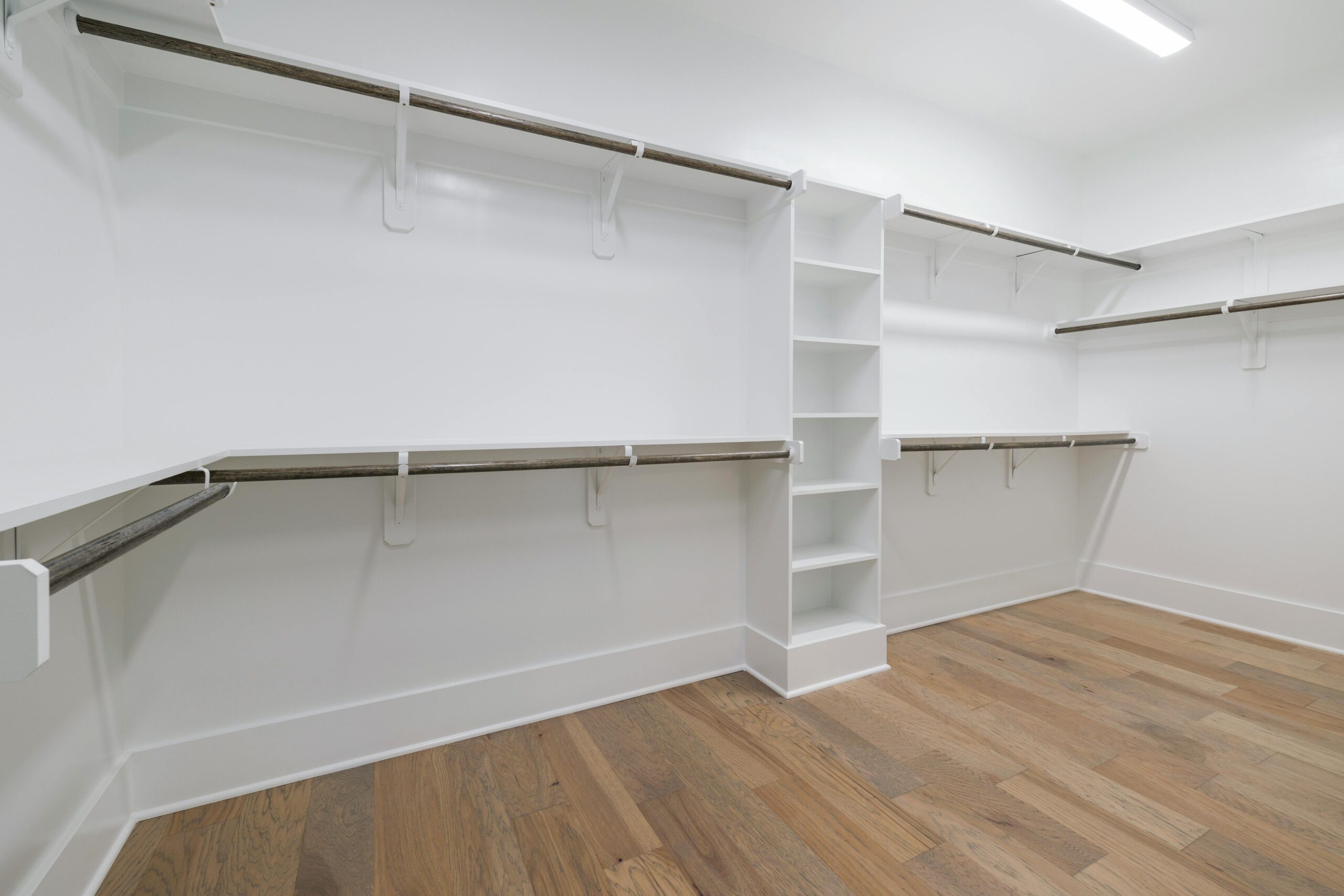
A messy closet wastes more than space. It wastes time, money, and patience. You buy bins that don’t fit, add shelves in the wrong spot, or keep buying clothes because you can’t see what you already own.
A closet planning tool helps fix that before the clutter gets worse. Some tools help you design a real closet layout for a reach-in or walk-in space. Others act like a digital wardrobe, so you can track clothes, build outfits, and spot gaps in what you wear. This guide breaks down both paths, so you can pick the right tool, use it well, and avoid expensive mistakes.
What a closet planning tool actually helps you do
At its core, a closet planning tool helps you make better decisions before you buy, build, or purge. That’s the main win. You stop guessing and start planning.
Plan your closet layout before you buy shelves, rods, or drawers
If you’re working on a physical closet, the tool acts like a test lab for your space. You enter width, depth, and height, then try different setups. That matters because closets can fool you. A wall looks wide enough for double hanging rods until you add drawers, trim, and a door swing.
Good layout tools let you move parts around with drag-and-drop controls. You can compare long-hang space for dresses, short-hang sections for shirts, shelves for sweaters, and cubbies for shoes. Many also show a 2D plan or a 3D preview, so you can catch problems early.
As of March 2026, many room planners also help users save, print, and price a design before ordering. That’s useful for DIY jobs and for working with an installer. If you’re still weighing off-the-shelf systems against simple custom options, this roundup of closet organization systems gives helpful context on what fits different spaces and budgets.
Build a digital wardrobe so you can see what you own and wear
A wardrobe-based closet planning tool solves a different problem. It helps you manage clothes you already have. You upload photos, tag items by color or season, and build outfits on your phone. Some apps also track wear count, cost per wear, and laundry status.
That can sound small, but it changes daily life. Instead of staring at a packed closet and feeling like you have nothing to wear, you can see actual outfit options in seconds. Just as important, you notice patterns. Maybe you own six black sweaters and no layering tops. Maybe you wear the same ten pieces every month.
Some apps go further with weather-based outfit ideas, trip planning, and style prompts. A current digital wardrobe organizer guide shows how this category now goes beyond simple photo storage. In other words, one type of tool plans your storage, while the other plans your clothing habits. That difference should guide your choice.
How to choose the best closet planning tool for your needs
The best option depends on what you’re trying to fix. Here’s a simple way to sort it out first.
| Your goal | Best tool type | Best fit |
|---|---|---|
| Redesign a reach-in closet | Room design tool | DIY storage planning |
| Build a custom walk-in | Advanced design software | Remodelers, detailed planners |
| Use your clothes better | Wardrobe app | Outfit planning and tracking |
The takeaway is simple: match the tool to the job, not the hype.
Pick a room design tool if you are planning a reach-in or walk-in closet
For a basic DIY project, look for easy measuring, shelf and rod options, a 3D view, and a way to save or print the plan. EasyClosets often comes up here because it speaks to homeowners who want a guided planning flow, not pro-level software. If you want a sense of how that type of system compares with modular options, this EasyClosets comparison gives a practical overview.
If you need more detail, PRO100 fits a different crowd. It leans toward cabinet shops, remodelers, and people who want tighter control over parts, pricing, and production steps. A current closet design software list also places PRO100 among more advanced tools used for detailed planning.
Then there’s Style3D, which sits on the higher end. Its closet design content in 2026 highlights 3D modeling and AI-assisted layout suggestions. That makes it more appealing for users who want a polished visual plan or a more design-heavy workflow.
Pick a wardrobe app if you want outfit ideas and better clothing habits
Wardrobe apps work best when your closet space is fine, but your clothing habits aren’t. Maybe you keep buying similar items. Maybe getting dressed takes too long. Maybe half your wardrobe never leaves the hanger.
Look for fast photo upload, background removal, easy tagging, and outfit suggestions that don’t feel random. Weather matching helps, too. So does wear tracking, because it shows which items earn their place.
Clueless is a good example of an app built around weekly outfit planning. Indyx has built a name around digital closet management and styling support. Fits is also part of the current comparison set for people who want outfit help, AI features, and mobile-first use. If you’re weighing those options, this wardrobe app comparison chart helps you compare features without jumping between ten reviews.
The features that matter most before you commit to any tool
Feature lists can get noisy fast. Most people don’t need every bell and whistle. They need a tool they’ll actually use after the first week.
Easy measuring, accurate sizing, and clear 3D previews
For physical closet planning, sizing comes first. If the measurements are wrong, the rest of the plan collapses. A strong closet planning tool makes room setup simple. It should let you enter exact dimensions, account for doors or windows, and swap components without breaking the whole design.
Clear previews matter because they catch problems your measuring tape can’t. Maybe a drawer hits a door frame. Maybe shoe shelves eat up hanging space. Maybe the design looks balanced on screen but leaves dead zones in the corners.
That’s why advanced visualization is more than a nice extra. It’s how you avoid ordering parts that won’t fit or won’t function well. If you want a sense of where 3D and AI-supported planning are going, Style3D’s guide to closet design software shows how current tools are trying to make layout choices easier before you spend.
Simple setup, mobile access, and smart suggestions you will actually use
Wardrobe tools live or die by ease of use. If adding clothes takes forever, you’ll quit. If the app only works well on desktop, you probably won’t update it while shopping or getting dressed.
So keep your focus narrow. Can you upload items quickly? Can the app remove messy backgrounds? Does it suggest outfits based on weather, season, or what you’ve worn lately? And is the free plan enough to get started?
If setup feels like homework, the tool won’t become part of your routine.
That’s why “smart” features only matter when they save time. Fancy AI sounds nice, but simple outfit suggestions and fast mobile access often do more for real life than deep analytics.
How to use a closet planning tool step by step without feeling overwhelmed
You don’t need to map every inch or upload every sock on day one. Start small, and build from there.
Start with measurements, clothing count, and a clear goal
For a closet layout tool, measure width, depth, and height first. Then note anything that affects storage, such as baseboards, outlets, doors, attic slopes, or awkward corners. That gives the planner real limits to work with.
For a wardrobe app, count broad clothing groups instead of logging every detail at first. Start with shoes, pants, tops, jackets, dresses, and bags. That quick inventory shows where your closet is heavy and where it’s thin.
Next, decide your goal. Maybe you want more storage. Maybe you want easier mornings. Maybe you want both. A clear goal acts like a filter. It helps you ignore features that look fun but don’t solve your actual problem.
Test a layout or outfit plan, then adjust before you spend money
Once your basics are in, build a rough first draft. In a room planner, add rods, drawers, shelves, and shoe space. In a wardrobe app, upload your most-worn items and create a few outfits for work, weekends, or travel.
Then pause and review. Is there enough long-hang space? Are folded items taking over shelves? Do your uploaded clothes create real outfits, or do they show clear gaps?
This step saves money because it exposes weak spots before you order organizers or buy new clothes. You may find you need fewer drawers and more hanging space. Or you may realize you don’t need more black pants, you need better layering pieces. Small edits here beat expensive fixes later.
Common mistakes to avoid when using a closet planning tool
The tool can help a lot, but it can’t rescue a bad starting point. Most problems come from rushing the setup or choosing software that looks impressive but feels annoying in daily use.
Guessing measurements and overloading the design with too many features
Bad measurements wreck a closet plan fast. Even a one-inch mistake can throw off shelves, rods, or drawer spacing. So measure twice, then check again before you order anything.
Overdesign causes trouble, too. People often pack in too many drawers because drawers feel tidy on screen. Then they run out of hanging space for shirts, coats, or dresses. Shoe storage also gets ignored until pairs pile up on the floor.
A strong design should reflect your real habits, not an ideal version of yourself. If you hang most of your clothes, give hanging space room to work.
Choosing a tool with fancy extras but weak everyday usability
The most advanced tool isn’t always the best one. Many people need a fast, free, easy planner, not a deep pro system with steep learning time.
That applies to wardrobe apps, too. A feature-rich app doesn’t help if uploading clothes feels slow or if outfit suggestions miss the mark. If you’re comparing beginner-friendly options, Indyx’s current best wardrobe apps list gives a useful snapshot of how different tools serve different users in 2026.
Pick the tool you’ll open every week. That’s the one that pays off.
A closet doesn’t have to stay a black hole for money and time. The right closet planning tool helps in one of two ways: it improves your physical layout, or it helps you use your clothes better. Both paths lead to less waste, better storage, and easier choices each morning. Start with one next step today, measure your space or upload your most-worn clothes, then test the tool that matches your goal.