

Picking the right website builder is hard for artists because the wrong one gets in the way. A beautiful site that takes hours to update isn’t much help, and a simple site that flattens your work can hurt more than it helps.
You need a platform that shows your art well, feels easy to manage, and still has room to grow. That could mean a clean portfolio, an online store, a booking site, or a fan hub.
The best website builder for artists depends on what your site needs to do first. Here’s how the strongest options stack up for visual artists, photographers, illustrators, and musicians in 2026.
What artists need most from a website builder
Before comparing brands, it helps to know what matters most. Artists usually need sharp image display, mobile-friendly design, simple editing, and fair pricing. If sales matter, then built-in store tools matter too.
Basic SEO also counts. Your pages should let you edit titles, image alt text, and page descriptions without a hassle. Email capture helps as well, especially if you want to build a collector list instead of relying on social media alone.
A strong portfolio should make your work the focus
A good artist website feels like a gallery wall with the lights aimed at the art. Clean templates, fast image loading, full-screen visuals, and clear menus all help visitors stay with the work instead of the layout.
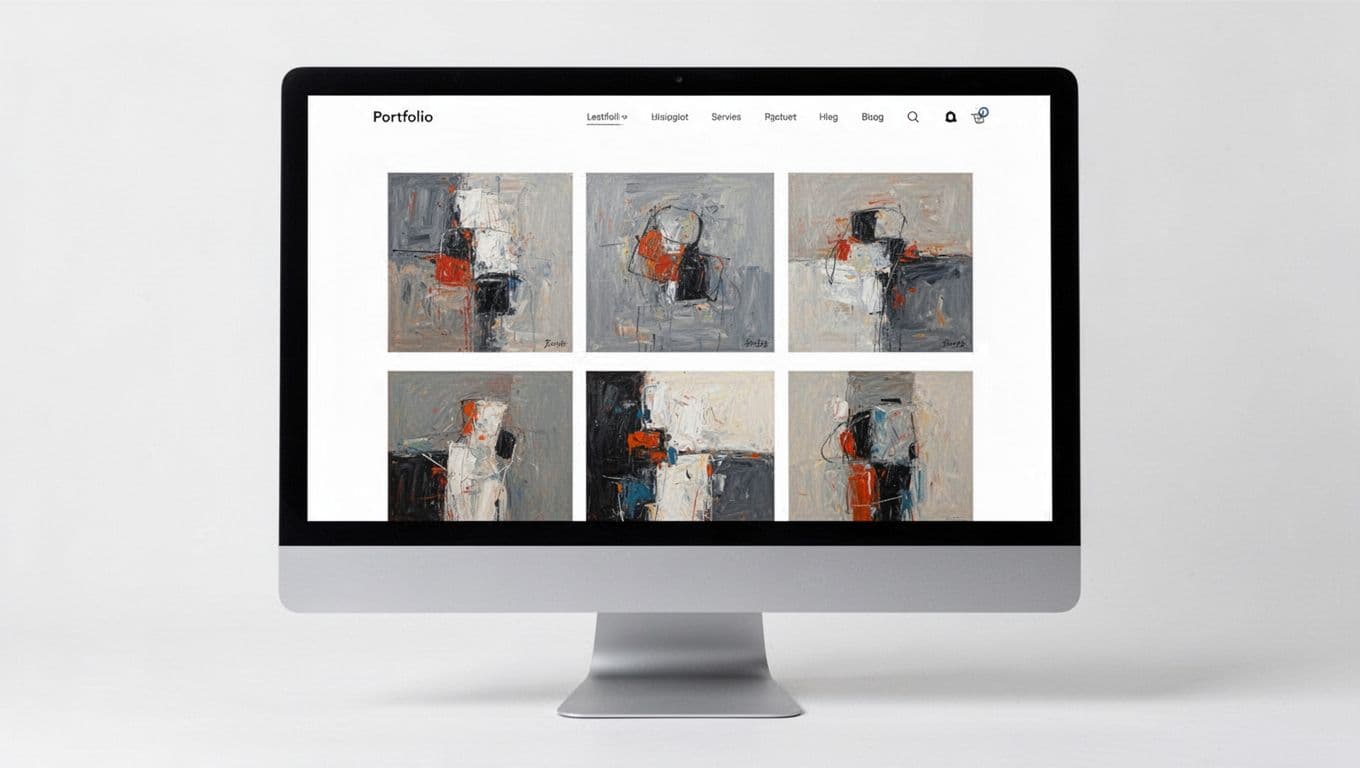
Clutter is the enemy here. Too many fonts, busy animations, or crowded homepages can pull attention away from your paintings, photos, or illustrations. That’s why the best builders for artists tend to offer strong gallery layouts and a polished mobile view.
Image handling is another deal-breaker. Your site should keep detail and color while still loading fast. If people wait too long, they leave. Independent roundups like Colorlib’s 2026 artist website builder comparison keep coming back to that same point, because visual quality is the whole job for many artists.
Selling art is easier when store tools are built in
If you sell originals, prints, digital downloads, commissions, or merch, store features save time. You want a builder that handles product pages, checkout, inventory, and shipping without forcing you into a pile of add-ons.
For print-on-demand, direct links with outside services can help. For commissions, custom order forms or booking tools matter more. Digital artists may care most about file delivery and low fees. Photographers might need client proofing or private galleries.
The best site builder isn’t the one with the most features. It’s the one that matches how you earn.
Also look at transaction fees. A cheap plan can turn expensive once you start selling.
The best website builders for artists, compared
The current field is strong, but one option leads for most people. In 2026, Squarespace stands out as the best all-around website builder for artists because it combines polished design, solid portfolio tools, blogging, and built-in selling features in one place.
Here’s a quick side-by-side view before the details.
| Builder | Best for | Starting price | Main strength | Main trade-off |
|---|---|---|---|---|
| Squarespace | Most artists | $16/mo | Best balance of design and sales | Less freeform layout control |
| Wix | Custom layouts | $17/mo | More design freedom | Easier to over-design |
| Pixpa | Creator portfolios | Affordable | Artist-focused features | Smaller ecosystem |
| Format | Image-heavy portfolios | Varies | Clean presentation | Fewer broad business tools |
| Shopify | Art stores | $25/mo | Strongest ecommerce setup | Less portfolio-first feel |
| Hostinger | Tight budgets | $2.99/mo | Low cost and fast setup | More basic overall |
The big takeaway is simple. Squarespace fits the widest range of artists, while the others get stronger when you have a narrower goal.
Squarespace is the best all around choice for most artists
Squarespace leads because it gets the basics right without feeling basic. Its templates look refined out of the box, and that matters when your site is often a first impression for buyers, galleries, editors, or clients.
Editing is straightforward, so you can change a homepage, add a gallery, post a new series, or launch a shop without wrestling with the platform. Blogging is built in, which helps if you write about process, exhibitions, or releases. Store tools are solid too, so you can sell prints, originals, and merch from the same site.
That all-in-one feel is why many creatives keep coming back to it. A recent Squarespace review for small creatives highlights the same mix of design quality and low maintenance. If you want one home for a portfolio, blog, and store, Squarespace is the safest pick.
It’s especially strong for visual artists, illustrators, and photographers who want a professional look without spending weeks on setup.
Wix gives artists more design freedom
Wix is the better fit if you want more control over layout. You can move elements almost anywhere, which is great when you have a strong vision for how your site should look.
That flexibility comes with a catch. Freedom creates more decisions, and more decisions can lead to a weaker design if you don’t have a plan. A messy homepage on Wix is easier to make than a messy homepage on Squarespace.
Still, Wix does a lot well. It has a huge template library, AI setup tools, and useful ecommerce features. It’s a strong choice for artists who want unusual page layouts, mixed media sections, or a site that feels less template-based. If your creative style is bold and you want the site to mirror that, Wix makes sense.
Pixpa, Format, Shopify, and Hostinger fit more specific needs
Pixpa and Format work well when your portfolio is the star. Both are known for image-first presentation, which helps photographers and visual artists who want clean galleries without extra clutter. If your site mainly needs to showcase work and collect leads, these two deserve a close look.
Shopify is different. It’s best for artists who are more store-first than portfolio-first. If sales are the main event, Shopify’s product management, checkout flow, and shipping tools are hard to beat. For a print shop, merch line, or high-volume art store, that matters.
Hostinger is the budget pick. It’s fast to set up, low-cost, and beginner-friendly, which makes it useful for artists who need a simple online home now, not next month. Its builder won’t match Squarespace for polish, but the value is real. If cost is your main blocker, Hostinger’s guide to artist website builders gives a helpful snapshot of where it fits.
Best website builder for musicians and artists who need fan tools
Some artists need more than a portfolio and a store. Musicians, DJs, bands, and multi-discipline creators often need music players, tour dates, ticket links, mailing lists, and merch pages on the same site.
A plain portfolio builder can still work if music is only one part of your brand. But once releases, gigs, and fan updates become the center of the site, music-specific tools start to matter more.
Wix, Bandzoogle, and Squarespace are the top picks for musicians
Wix is strong for musicians who want flexibility. You can build pages for releases, video, merch, and bookings with a lot of control over the layout.
Bandzoogle is more focused. It was built for bands and solo artists, so features like music sales, EPKs, tour calendars, and mailing list tools feel more natural there. Squarespace, on the other hand, is the best fit for musicians who want a polished brand site with events, merch, and a clean visual style. Reviews like Site Builder Report’s 2026 musician builder guide keep these three near the top for that reason.
Choose a music friendly builder if your site needs merch, tickets, or releases
If you’re mostly showing artwork with an occasional song embedded, a standard artist builder is enough. Squarespace or Wix can handle that easily.
If your site needs an EPK, tour dates, direct music sales, or regular release pages, go with a music-friendly platform. Those features save time and reduce workarounds.
How to pick the right platform for your art, budget, and goals
The easiest way to choose is to decide what your site needs to do first. Not later, not someday, not in the dream version of your career. Start with the main job.
The best choice depends on what you want your site to do first
If you want the best all-around option, pick Squarespace. It offers the cleanest balance of design, portfolio tools, blogging, and sales.
If you want more layout control, pick Wix. It’s the better match for artists who want to shape every page by hand.
If you’re a photographer or visual artist who wants a gallery-first site, look at Pixpa or Format. If selling is the top goal, Shopify is the better fit. If budget matters most, Hostinger gives you the fastest low-cost start. And if you’re a musician first, Bandzoogle deserves a hard look.
Choose for your current stage. You can always move later, but a site you launch this month beats the perfect one you never finish.
A website builder should make your work easier to share, not harder to manage. That’s why Squarespace is still the best website builder for artists overall in 2026. It looks professional, stays easy to use, and supports both portfolios and sales.
Still, the best fit can change with your goal. Wix gives you more control, Pixpa and Format suit image-heavy portfolios, Shopify is better for store-first artists, Hostinger helps on a tight budget, and Bandzoogle makes more sense for music-focused sites.
Pick your top one or two options, try the editor, and see which one makes your work look right. If the site feels like a clean gallery wall, you’re on the right track.