




Leads in one tool, trials in another, billing in Stripe, support in Intercom, and renewals in a spreadsheet, that’s how SaaS teams lose the plot. A CRM should pull those pieces into one working system, not add another layer of mess.
That matters more in SaaS because revenue repeats, churn hurts, and customer value grows after the first deal. You also need clean handoffs between marketing, sales, and customer success. If you’re looking for the best CRM for SaaS companies, the right choice depends on your sales motion, team size, and how fast you’re growing.
What SaaS teams should look for in a CRM before they buy
A SaaS CRM has to do more than store contacts. It needs to support the full customer journey, from first touch to renewal and expansion. That means judging every platform by the same few standards before you get pulled in by feature lists or slick demos.
Features that actually matter for a SaaS sales process
Start with pipeline control. Your team should see where leads sit, which trials are active, what deals need follow-up, and which accounts are near renewal. A good CRM also makes room for lead scoring, email sequences, forecasting, and account-based selling without turning every report into a manual project.
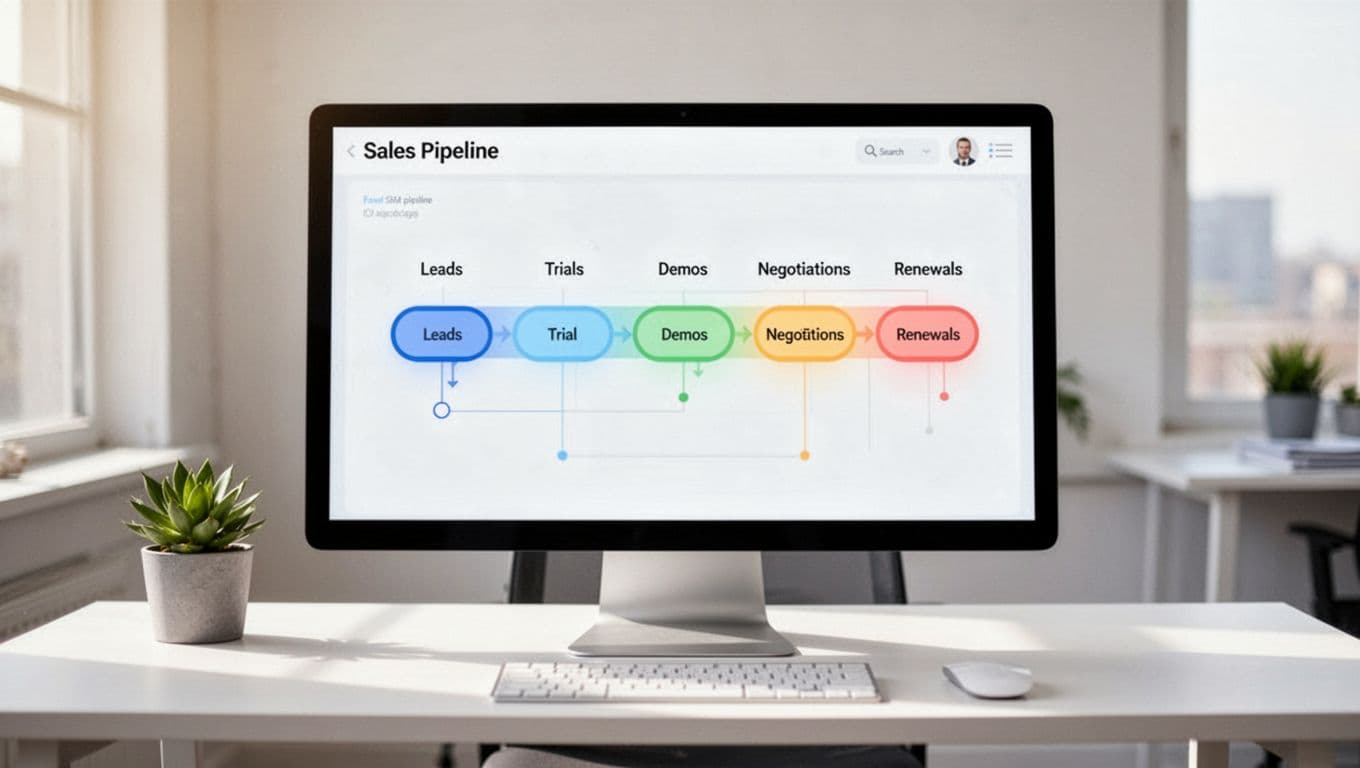
For SaaS, the hidden win is context. Reps should see trial activity, plan type, billing status, and customer health next to the deal record. That’s why product and billing ties matter. A tool that connects with usage data or subscription events can tell you more than a stage name ever will. The HubSpot SaaS CRM overview also highlights this shift toward a shared view of marketing, sales, and retention.
If a CRM can’t show trial-to-paid conversion or upcoming renewals clearly, it’s probably not built for how SaaS teams sell.
How pricing, setup time, and integrations change the real cost
Base price is only the sticker. Real cost shows up in onboarding hours, admin work, missing integrations, and limits that force upgrades early. Some CRMs look affordable until you need extra automation, better reporting, or more contacts.
That means you should ask simple questions. Does it connect to Stripe, Slack, Intercom, and your email stack? Can it pass data from product analytics tools into the customer record? How hard is it to change fields, workflows, and permissions later?
The cheapest CRM on paper often gets expensive once you add setup time, add-ons, and admin help.
For subscription businesses, billing and lifecycle visibility matter as much as lead tracking. A platform built around the full subscription lifecycle can save your team from stitching data together by hand every week.
Best CRM for SaaS companies: the top options compared
Most teams don’t need dozens of choices. They need a short list that matches how they sell.
This quick view makes the tradeoffs easier to spot:
| CRM | Best for | Main strength | Main tradeoff |
|---|---|---|---|
| HubSpot CRM | Growing SaaS teams | Shared sales and marketing view | Costs rise with scale |
| Salesforce | Mid-market and enterprise SaaS | Deep customization | Longer setup, more admin |
| Pipedrive or Close | Fast sales-driven teams | Speed and rep adoption | Lighter cross-team depth |
| Zoho CRM | Budget-conscious teams | Broad features for the price | Interface feels less polished |
For most SaaS companies, the best fit is the one your team will use daily, not the one with the longest feature sheet.

HubSpot CRM, best for growing SaaS teams that want marketing and sales in one place
HubSpot works well when you want fewer systems and faster adoption. Sales, forms, email, automation, and reporting live close together, so teams can move from lead capture to deal management without a clunky handoff.
It’s also easier to train on than many enterprise tools. That makes it a strong pick for SaaS companies growing out of spreadsheets or basic point tools. If you want a second opinion on cost and limits, this HubSpot review and pricing breakdown is a useful reference.
The tradeoff is simple. Costs can climb once you add more users, advanced automation, or deeper reporting. HubSpot is often easy to start, but not always cheap to grow inside.
Salesforce, best for larger SaaS companies with complex sales and customer data
Salesforce shines when your sales process isn’t simple. If you manage multiple products, large account teams, layered approvals, or complex renewal workflows, it gives you room to build around that reality.
Reporting is another plus. Mature SaaS teams often need more than pipeline totals. They want segmentation by product, region, sales motion, and lifecycle stage. Salesforce can handle that, and its app ecosystem is hard to match. This Salesforce review gives a practical look at where it fits best.
Still, power comes with overhead. Setup takes longer, admin work is heavier, and many teams need outside help to get it right.
Pipedrive or Close, best for fast-moving SaaS sales teams that want simplicity
Some SaaS teams need speed more than structure. If you’re running outbound, booking demos, and closing SMB deals, Pipedrive and Close both make sense.
Pipedrive stands out for visual pipeline management. Reps can move deals quickly, spot bottlenecks, and start using it with little training. Close leans harder into action, with calling, SMS, and email built into one workflow, as shown on the Close CRM platform. That can be a strong fit for founder-led sales and inside sales teams.
The tradeoff is breadth. These tools feel lighter when marketing, success, and renewal ops need to work from the same system. They’re sales-first choices, and that’s either a strength or a limit.
Zoho CRM, best for budget-conscious SaaS companies that still need automation
Zoho CRM gives smaller teams a lot for the money. You get automation, customization, reporting, and room to grow without paying enterprise prices too early. For early SaaS companies watching burn, that matters.
It also fits teams that don’t mind a bit more setup. If you’re willing to spend time shaping fields, workflows, and views, Zoho can cover more ground than many low-cost options. This Zoho CRM review is helpful if you’re comparing value against polish.
The downside is user experience. The interface can feel less refined, and setup may take more patience than tools that focus on simplicity first.
Best CRM for SaaS startups that need speed, value, and room to grow
Early-stage teams don’t need a giant machine. They need a clean system that captures leads, tracks deals, and keeps next steps from slipping. If your startup is still finding product-market fit, too much CRM complexity can slow you down.
What early-stage startups need most from a CRM
Fast setup matters more than deep customization. Founders and first sales hires should be able to learn the CRM in a day, not in a month. A simple pipeline, a few automations, and basic reporting usually cover the real need.
You also want a clear handoff path. The system should work for founder-led selling today and still support your first account executive or SDR later. Flexibility helps, but overbuilding too early is like buying warehouse shelving before you have inventory.
A startup doesn’t need a CRM that models every edge case. It needs one the team will use tomorrow.
The best startup-friendly picks based on budget and sales motion
For all-around ease, HubSpot CRM is usually the safest starting point. It’s a good match for self-serve products with light sales help, content-driven lead flow, or a team that wants marketing and sales under one roof.
If your motion is outbound-led, Pipedrive or Close often fits better. Reps can move fast, log activity quickly, and keep a tight grip on follow-up. That’s useful for early SMB sales, where volume and speed matter more than deep cross-team reporting.
For lower budgets, Zoho CRM is the value play. It works best when cash is tight but you still want automation and room to add process over time. The right pick depends less on company size alone and more on how your team wins deals.
How to choose the right CRM for your SaaS company without overbuying
Good CRM decisions come from fit, not fear. Buying too little creates blind spots. Buying too much creates drag.
Match the CRM to your sales model, team size, and customer journey
A product-led SaaS company may care most about trial signals, onboarding status, and upgrade triggers. A sales-led team may need stronger pipeline control, rep activity tracking, and forecasting. Hybrid teams often need both, plus clean handoffs to customer success.
Team size changes the answer too. Smaller teams usually win with simple setup and low admin work. Larger teams can justify more structure because they have more users, more data, and more process to manage. If renewals and expansion drive a big share of revenue, don’t treat the CRM like a new-logo tool only.
Questions to ask before you commit to a platform
Ask what your team can learn fast. Then ask what will still work 18 months from now. Also check whether the CRM connects to your current stack and supports renewals, expansion, and customer context, not only new deals.
From there, build a shortlist of two or three options. Run free trials, map one real pipeline, and let the people using it daily weigh in. The best choice usually becomes obvious once your workflow touches the software.
A CRM should make your revenue process clearer, not heavier. HubSpot fits many growing teams, Salesforce fits complexity, Pipedrive and Close fit speed, and Zoho fits tighter budgets with decent flexibility.
Pick based on how your team sells today and what data you’ll need next. The smartest choice is often the simplest one that still leaves room to grow.
Shortlist a few tools, test them with real deals, and choose the one your team won’t fight.