




Running out of stock feels like a fire drill. Carrying too much stock feels slower, but it burns cash the same way.
That’s why inventory planning tools matter. They help you predict demand, set reorder points, factor in supplier lead times, and buy the right amount at the right time. In plain terms, they turn guesswork into a repeatable process.
The hard part isn’t finding software. It’s choosing a tool that fits your size, sales model, and team. That’s where a practical approach beats a shiny demo.
What inventory planning tools actually help you do
At their core, inventory planning tools help you make better buying decisions before inventory problems show up. They give you a clearer view of what’s selling, what’s slowing down, and what you’ll need next week or next month.
That matters whether you sell online, stock several warehouses, or manage raw materials for production. Good tools connect sales history, open purchase orders, supplier lead times, and current stock, then turn that data into actions your team can use.
The difference between tracking inventory and planning inventory
Basic inventory tracking tells you what you have right now. It answers simple questions: How many units are on hand? Which warehouse has them? Which orders are open?
Planning goes a step further. It helps you decide what to buy next, when to buy it, and how much risk you can carry. That’s the difference between looking in the rearview mirror and looking through the windshield.
If you’re comparing options, many reviews mix these two jobs together. That’s why outside roundups like this inventory planning software guide can be useful as a starting point, especially if you’re trying to sort forecasting tools from simple stock trackers.
Key features that make a real difference day to day
The best inventory planning tools don’t need to feel fancy. They need to make daily work easier.
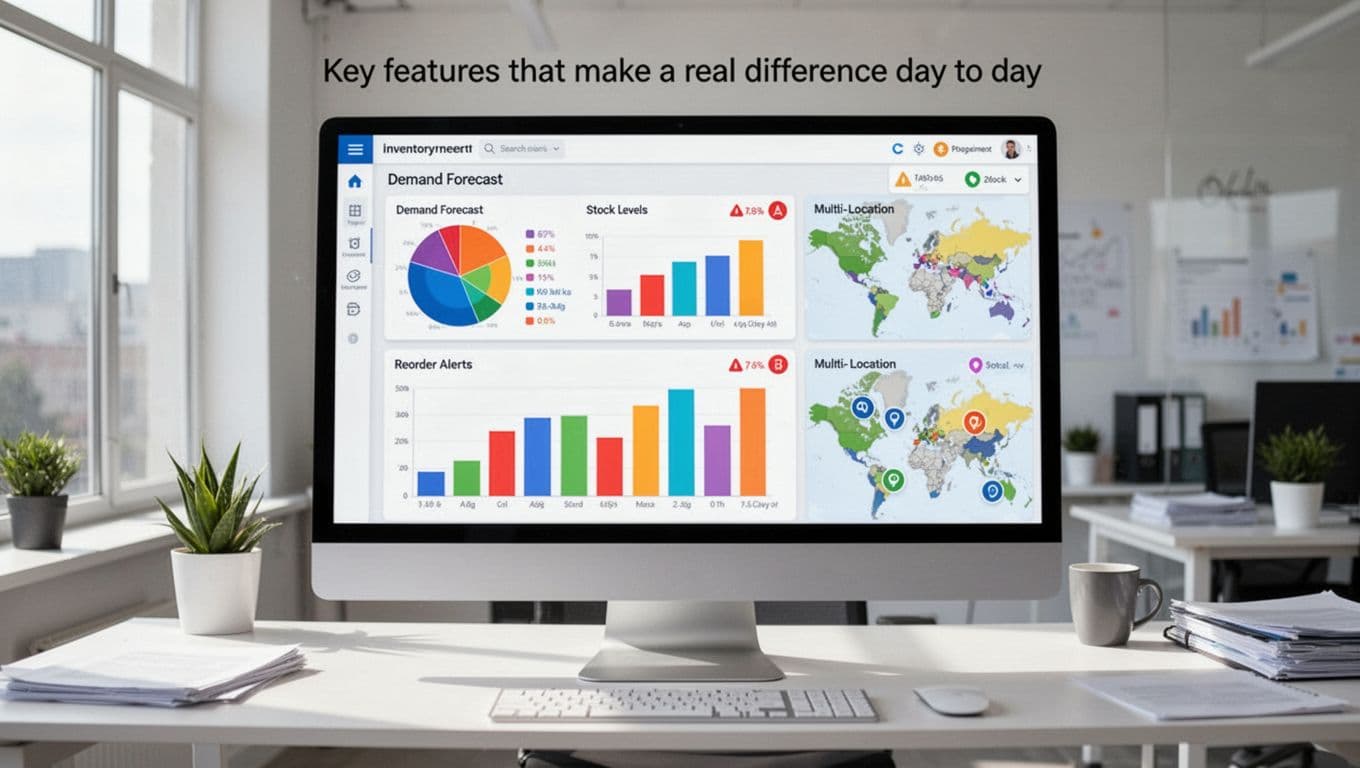
A few features usually matter most:
- Demand forecasting: Uses past sales, trends, and seasonality to estimate future demand.
- Reorder alerts: Flags items before they hit trouble, so buyers aren’t reacting late.
- Safety stock settings: Helps protect against supplier delays or sudden spikes in sales.
- Lead time tracking: Builds supplier timing into reorder decisions, not just stock counts.
- Multi-location visibility: Shows what’s available across stores, warehouses, or 3PLs.
- Reporting and integrations: Pulls data from Shopify, QuickBooks, Amazon, or your ERP, so planning isn’t split across five tabs.
For many teams, the biggest win is visibility. When forecasts, on-order stock, and sell-through live in one place, fewer decisions depend on gut feel. That’s also why broad reviews of inventory management software often highlight forecasting, integrations, and reorder automation, not only barcode counts.
How to choose the right inventory planning tool for your business
Software buyers often start with feature lists. That’s backwards. Start with your problem, then look for the smallest tool that solves it well.
A small Shopify brand and a multi-site manufacturer don’t need the same system. One may need fast setup and clean reorder alerts. The other may need bills of materials, demand planning, approval flows, and warehouse rules.

Start with your biggest inventory problem
Pick the pain point that hurts most. Don’t try to fix everything at once.
If you keep stocking out, focus on forecasting and reorder logic. If cash is trapped in slow movers, look for better reporting, aging views, and purchase planning. If your stock is messy across several locations, make location sync and transfer control your first filter.
This sounds simple, yet it saves a lot of wasted time. A tool that’s great for batch tracking may still be weak at retail demand forecasting. A strong e-commerce app may struggle with manufacturing workflows.
The best tool isn’t the one with the longest feature list. It’s the one that fixes your biggest inventory mistake first.
When you’re weighing smaller versus larger platforms, side-by-side comparisons like this Zoho Inventory vs Cin7 breakdown can help clarify the gap between entry-level simplicity and broader operational control.
Match the software to your size, team, and workflow
Small teams usually need ease of use, fast setup, and clear alerts. If your team wears five hats already, a tool that takes months to configure will likely stall out.
Larger teams often need deeper planning. That can include demand models, approval steps, vendor rules, and links to finance or warehouse systems. Those tools can pay off, but they also ask more from your data and your staff.
Budget matters too, but price alone can fool you. Cheap software that misses stockouts gets expensive fast. On the other hand, a complex platform can become shelfware if no one trusts it.
It helps to map your workflow before you buy. Where does demand data come from? Who approves POs? How many sales channels feed inventory? If you’re moving beyond starter software, resources like these Zoho Inventory alternatives can give you a sense of what growing brands tend to need next.
A quick look at popular inventory planning tools in 2026
Based on March 2026 market coverage, the names below keep coming up for US businesses. No single tool wins for everyone. Fit matters more than hype, and pricing or features can change, so confirm the latest details before you buy.
Here’s a quick side-by-side view:
| Tool | Best fit | Stands out for | Watch-out |
|---|---|---|---|
| Zoho Inventory | Small businesses | Low starting cost, multi-channel sync | Can feel light for deeper planning |
| Netstock | ERP users needing forecasting | Strong demand planning and alerts | Pricing is less transparent |
| GOIS | Growing teams | AI forecasting and automation | Less known than older brands |
| Cin7 | Multi-channel brands | Broad commerce and inventory control | More setup and complexity |
| StockIQ | Wholesalers, planners | Inventory optimization focus | Narrower fit for simple retail |
| Digit | Manufacturers, distributors | MRP, barcode, multi-location control | Starts higher than entry tools |
| NetSuite | Mid-market to enterprise | ERP tie-in and broad operations view | Cost and rollout time |
| ToolsGroup SO99 | Large complex networks | Advanced forecasting across locations | Best suited to bigger operations |
Best options for small and growing businesses
Zoho Inventory is often the first step up from spreadsheets. It’s affordable, starts around $29 per month, and works well for smaller sellers that need channel sync and auto-reorder basics. If you sell through Shopify, Amazon, or eBay, it’s a practical place to start.
Netstock is a stronger planning play. It’s well-known for demand forecasting and reorder guidance, especially for teams already running an ERP. If current counts are fine but buying decisions are shaky, Netstock belongs on the shortlist.
GOIS fits growing businesses that want more automation without jumping straight to a full ERP. March 2026 coverage points to AI forecasting, batch and serial tracking, and automatic PO support as key strengths.
Strong picks for mid-sized brands, wholesalers, and manufacturers
Cin7 works well for brands selling across several channels. It combines inventory control, purchasing, and order flow in one platform, which is helpful when stock moves between online stores, warehouses, and retail points. Still, smaller teams may find it heavy at first.
StockIQ is a focused choice for inventory optimization. It makes sense for businesses that already have operating systems in place but want smarter stock levels and better replenishment logic.
Digit stands out for companies making or assembling products. It combines inventory, barcode support, lot tracking, and MRP-style functions in one system. Public pricing starts around $199 per month, with free-trial availability noted in current market data. For a broader view of this niche, this guide to inventory software for manufacturers gives useful context.
Advanced platforms for larger and more complex operations
NetSuite is a strong fit for larger distributors and multi-location companies that want inventory planning tied closely to finance, purchasing, and operations. It offers demand planning, replenishment, lot and serial control, and broad ERP connections. The tradeoff is a bigger investment and a longer setup.
ToolsGroup SO99 sits higher up the planning ladder. It’s built for larger supply chains that need deep forecasting across many locations and more advanced stock planning logic. That power usually makes sense only when simpler tools stop working.
If you’re still comparing the upper end of the market, broad review lists like this 2026 stock inventory software ranking can help you see where enterprise-grade tools sit beside mid-market options.
Mistakes to avoid before you commit to a tool
A bad software decision usually doesn’t fail on day one. It fails slowly. People stop trusting the numbers, work returns to spreadsheets, and the tool becomes an expensive icon on the login page.
That’s why buying discipline matters as much as features.
Choosing based on features alone
A long checklist looks impressive in a sales call. It means less if your team won’t use the tool or if the data feeding it is weak.
Forecasts can’t save you from wrong lead times, duplicate SKUs, or poor supplier records. The same goes for fancy dashboards. If buyers still export everything to Excel because the workflow feels clunky, the value never shows up.
Bad data beats good software every time.
Skipping the trial, onboarding, and data cleanup step
Always test real workflows before signing off. Build a sample reorder. Check how the tool handles one slow-moving SKU and one fast seller. Review the reports your buyers will actually open on Monday morning.
Also, inspect the integrations. Does Shopify sync the right fields? Does QuickBooks carry costs cleanly? Does your ERP pass supplier and item data without gaps?
Before launch, clean your product names, supplier records, lead times, units of measure, and location data. That prep work isn’t glamorous, but it often decides whether the rollout sticks.
Inventory planning tools pay off when they reduce stockouts, cut overbuying, and give your team more confidence in each purchase order. The right fit depends on your size, product mix, and how complex your workflow is.
Start small and stay honest about your needs. Shortlist two or three inventory planning tools, then test them with your real data, not a polished demo.
That one step will tell you more than any feature page ever will.