



Too many law firms still run matters through email chains, scattered files, hallway updates, and memory. That works until a task slips, a billing entry gets missed, or a client asks for a status update no one can answer fast.
Legal project management software fixes that mess by pulling tasks, deadlines, documents, time, and client updates into one place. In 2026, that matters more than ever because clients expect faster answers, firms face tighter security demands, and AI tools are becoming part of daily legal work. The goal isn’t more software. It’s fewer dropped balls.
What legal project management software does for a law firm
At its core, legal project management software helps a firm run legal matters with more order and less guesswork. Think of it as a central command center for work that used to live in too many places.
A general project tool can track tasks. Legal software goes further. It ties work to a matter, links deadlines to calendars, stores documents with the case, tracks time as work happens, and keeps billing close to the action. That matters because legal work isn’t a normal office project. It carries court dates, privilege concerns, trust accounting rules, approval chains, and client confidentiality.
For many firms, the shift feels less like adding a tool and more like replacing a messy whiteboard with a live case map. Everyone sees what needs to happen, who owns it, and what comes next.
How it keeps matters, tasks, and deadlines in one place
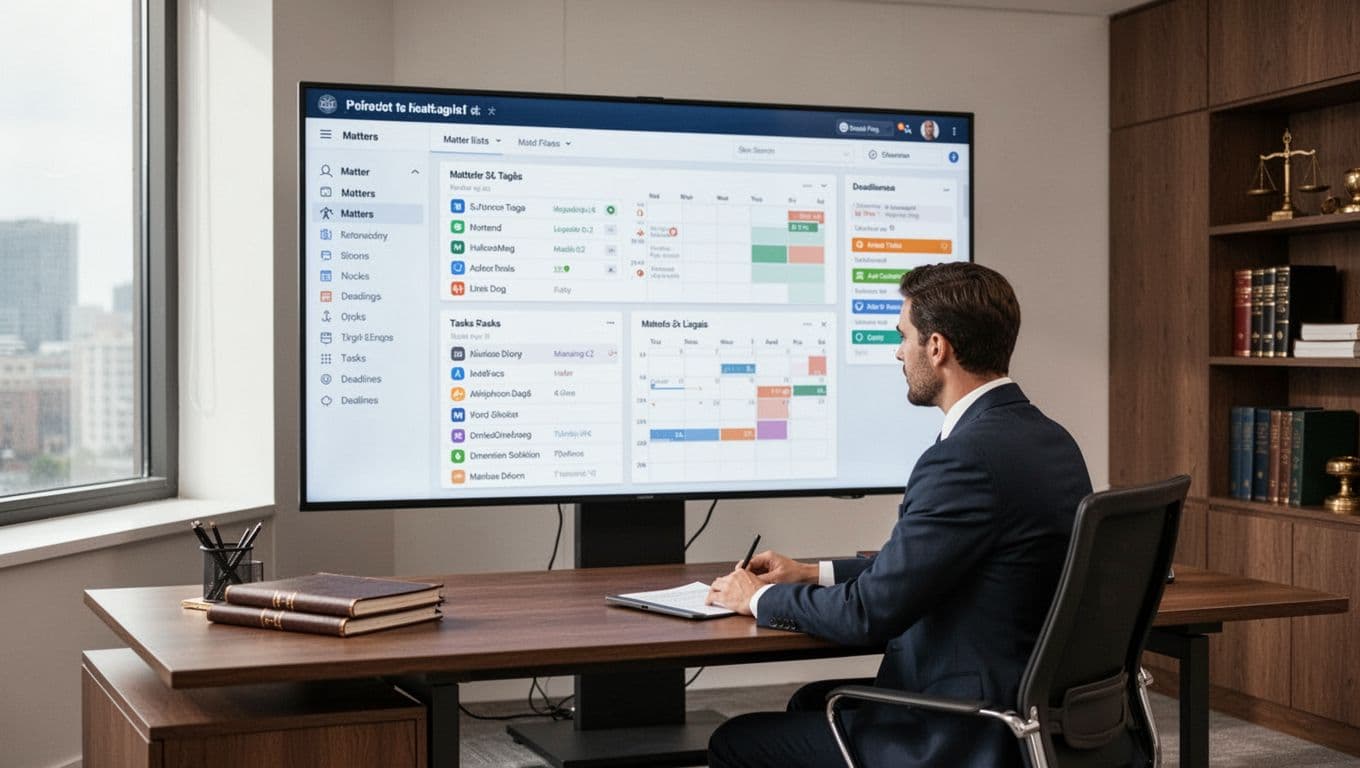
Most systems organize work around a matter dashboard. Open a file, and you can see upcoming dates, assigned tasks, recent notes, related documents, and time entries without hopping between apps.
That daily visibility changes how teams work. A paralegal can assign follow-up items after a client call. An associate can see the next filing deadline right away. A partner can check progress before asking for an update. Shared calendars and automatic reminders also cut down on missed handoffs.
If your team still tracks work in email, the problem isn’t effort. It’s visibility.
Why legal-specific features beat generic project tools
Generic tools can help with simple task lists. Still, many firms outgrow them once they need billing rules, document control, audit trails, and client privacy safeguards. Legal project management software is built for those needs from day one.
That doesn’t mean every firm needs the most advanced platform. It does mean legal workflows need legal guardrails. Tools with secure document handling, matter-based permissions, trust accounting support, and billing links save time that would otherwise go to workarounds. If you’re comparing categories, Gartner’s legal project management software reviews can give you a broad market view.
The biggest benefits teams see after switching
The biggest win isn’t the feature list. It’s what happens after a few weeks of real use. Work moves with less friction, billing gets cleaner, and clients stop feeling like they’re in the dark.
Recent March 2026 reporting shows firms are still raising tech budgets, with about 40% planning more spending this year. AI use inside legal software is also rising fast, with daily use now common across research, drafting, and workflow support. That matters because firms aren’t only buying storage and calendars anymore. They’re buying time back.
Less admin work, better billing, and faster case progress
Templates make a big difference. Instead of rebuilding the same intake checklist or litigation workflow, firms can launch a matter with pre-set tasks, due dates, and roles. That cuts repetitive setup and keeps steps from falling through the cracks.
Time tracking also improves when it sits next to the work itself. If a lawyer reviews a document, logs a call, or closes a task in the same system, fewer billable minutes disappear. Over a month, those small gains add up. A firm may not notice a missed six minutes. Miss that ten times a day, and the leak gets expensive.
Automation helps here too. Deadline reminders, recurring tasks, and linked billing reduce admin drag. For a broader look at how firms compare options, Software Advice’s 2026 case management reviews can help frame what matters most.
Stronger client service without constant status calls
Clients don’t love silence. They also don’t want to chase updates. Good legal project management software makes communication clearer without adding more phone calls.
Some tools offer secure client portals. Others make it easy to share updates, documents, invoices, or next steps from one place. That visibility builds trust because clients can see that the matter is moving. Internally, it also reduces the “Can someone send me the latest?” cycle that eats up staff time.

Better service doesn’t always mean more contact. Often, it means better-timed contact, backed by current information.
How to choose legal project management software that fits your practice
The best platform for a five-lawyer family firm may be the wrong one for a litigation shop with complex discovery. Fit matters more than hype.
Start with your real pain points. Maybe intake is messy. Maybe deadlines live in private calendars. Maybe billing and case work never quite line up. Write down the top three workflow problems before you book any demo. That list will keep you honest when sales pitches start flying.
Then match the software to your practice. Small firms often need ease of use and strong core features. Growing firms may care more about reporting, automation, and integrations. High-volume or document-heavy practices usually need better search, version control, and matter organization.
The features worth checking before you book a demo
Look for strong matter management first. If the matter view feels clunky, the rest won’t save it. After that, pay attention to workflow automation, document management, time tracking, reporting, AI support, client portals, and mobile access.
Integrations matter too. Email, calendars, billing, and accounting connections can save hours each week. A system that works well on its own but doesn’t connect to your firm stack can create a new silo.
This quick table can help narrow your shortlist:
| What to check | Why it matters |
|---|---|
| Matter dashboard | Gives one view of tasks, dates, notes, and files |
| Time and billing link | Captures work faster and cuts missed entries |
| Document controls | Helps with versions, access, and secure sharing |
| Workflow templates | Speeds up repeat work across common matter types |
| Reporting | Shows bottlenecks, staff load, and billing trends |
| AI features | Helps with summaries, intake, drafting, or task prompts |
| Integrations | Keeps email, calendars, and billing in sync |
Free trials and team demos help more than polished presentations. If you want a current side-by-side snapshot, LegalTech Ranked’s 2026 roundup is a useful starting point.

Common mistakes that lead to wasted time and money
The first mistake is buying on brand buzz alone. A popular name doesn’t mean the tool fits your workflows.
Another common miss is leaving staff out of the process. Lawyers may choose the platform, but assistants, paralegals, and billing staff often feel the daily friction first. Their input matters.
Costs also need a close look. Setup fees, training, storage limits, migration help, and add-on modules can change the real price fast. During a trial, test actual work, not a fake sample. Build a matter, assign tasks, add documents, track time, and create an invoice. If it stumbles in practice, it won’t get better after purchase.
Popular legal project management software options in 2026
A few names keep coming up because they fit different types of firms well. No single platform wins for everyone, and pricing or features can change, so confirm the latest details with each vendor.
Best fits for small firms, growing practices, and document-heavy teams
Clio often appeals to firms that want a broad, well-known cloud platform with strong matter management and a large integration ecosystem. MyCase is often a fit for firms that want client communication and billing in a simple package. PracticePanther tends to attract teams that want flexibility and automation without a steep learning curve.
Smokeball stands out for document-heavy practices because it puts a lot of weight on forms, drafting, and activity capture. CosmoLex often gets attention from firms that want practice management tied closely to accounting and billing.
If you’re comparing these side by side, CounselStack’s 2026 legal practice management software guide offers a current summary. You can also skim AppIntent’s law office software roundup for a wider list of tools around the category.
When a highly customizable or enterprise tool makes sense
Filevine can make sense for firms with complex litigation, detailed case workflows, or heavy reporting needs. Wrike, while not legal-first, may work for larger teams that need deep customization across legal and business operations.
Some in-house legal departments also look at platforms such as LawVu, Xakia, HighQ, or Streamline AI, especially when intake, approvals, and cross-team work matter as much as outside counsel coordination.
Legal project management software isn’t a nice extra for many firms anymore. When work lives in one system, teams miss less, bill more cleanly, and give clients better answers.
Start with your biggest workflow pain points. Then shortlist a few tools, test them on real matters, and pick the one your team will use every day. The best system isn’t the one with the longest feature list. It’s the one that keeps the next deadline from hiding in someone’s inbox.