




SaaS tools have a way of piling up quietly. One team adds a meeting app, another buys a project tool, and soon finance is staring at a growing list of monthly charges.
That’s where saas expense management comes in. It means tracking, controlling, and improving software spend so your company doesn’t keep paying for tools nobody uses, duplicate apps, or contracts nobody reviewed. It’s less about cutting for the sake of cutting, and more about knowing what you own.
If your software stack feels like a closet packed in the dark, this guide brings the light on. First, it helps define the work. Then it shows why costs creep up, how to build a process that holds up, and what to look for in a solution.
What SaaS expense management actually includes
SaaS expense management is broader than simple expense tracking. Yes, it includes what you spend each month or year. But it also covers who owns each app, how many licenses you pay for, when contracts renew, who has access, and whether a tool still earns its place.
In plain terms, it’s the ongoing job of keeping software spend visible and under control. That includes license visibility, renewal management, vendor oversight, spend reports, access checks, and cost clean-up.
It’s also different from traditional expense management. A normal expense tool might track employee receipts, travel, or reimbursements. SaaS expense management focuses on recurring software subscriptions. Those costs often hide in card payments, department budgets, or old contracts.
It’s also narrower than broad spend management. Spend management covers many categories, like hardware, office supplies, or contractors. SaaS expense management looks at one category with unusual habits, recurring billing, seat-based pricing, and lots of auto-renewals. A plain-language overview from Innopulse on SaaS expense management makes the same point: software spend behaves differently from most business costs.
The hidden costs that make software spend hard to control
The sticker price is only part of the problem. Most waste comes from what companies don’t see.
A mid-sized business might pay for three file-sharing tools because teams bought them at different times. Another company may keep 40 paid seats for a sales app even after turnover. Then there are annual renewals that roll over before anyone checks usage.

The common trouble spots are easy to miss:
- Auto-renewals that lock in another year
- Shelfware, or tools nobody uses
- Shadow IT, where teams buy apps outside normal review
- Unused seats after role changes
- Overlapping features across several tools
- Poor contract visibility when terms sit in scattered inboxes
For many teams, the problem looks small month to month. Then twelve months later, the total feels like an iceberg. Articles on hidden SaaS costs often point to the same pattern: the visible subscription fee is only the top layer.
Who should own SaaS spend across the business
No single team can manage this alone. Finance sees the cost. IT sees the stack. Security sees the risk. Department leaders know whether people still need the tool.
That said, one group should coordinate the process. In many companies, that sits with finance, procurement, IT, or a shared operations team. What matters most is having a clear owner, not five partial owners.
SaaS spend control works best when one team runs the process and other teams feed it.
Without that shared model, renewals get missed, access stays open too long, and nobody feels responsible for cleanup.
Why SaaS costs grow fast, even when no one is trying to overspend
Most companies don’t wake up and choose waste. Costs rise because software buying is easy, growth changes needs fast, and visibility rarely keeps up.
SaaS also spreads across the business in a natural way. Marketing wants campaign tools. HR adds recruiting software. Product teams buy analytics. Sales wants call recording and prospecting apps. Each choice may make sense on its own. Together, they can turn into a messy stack with weak oversight.
Recurring pricing makes the problem worse. A one-time purchase gets attention. A monthly charge blends into the background. Annual contracts hide even more because they vanish into large payments and then sit untouched for months. Research and playbooks like this SaaS spend management guide from Zylo keep stressing the same issue: companies often underestimate the size and sprawl of their software stack.
How decentralized buying leads to duplicate tools
When teams buy software on their own, they usually solve a local problem fast. That’s understandable. But separate buying often creates overlap.
One department may buy Asana, while another picks Monday.com. Marketing signs up for a webinar tool, while sales buys a similar platform with half the same features. Soon, the company pays for multiple tools that do almost the same job.
That hurts in two ways. First, you lose negotiating power because spend is split across vendors. Second, people get confused about where work lives. Files, data, and workflows scatter across apps, and cleanup gets harder later.
Why renewals and seat counts slip through the cracks
Renewals are easy to miss because they live on different clocks. Some tools bill monthly. Others renew once a year. A few have notice periods that require action 30, 60, or 90 days before renewal.
Seat counts also drift over time. An employee leaves, but their paid account stays active. A team upgrades during a busy quarter, then never scales back. Months later, finance still pays for capacity the business no longer needs.
This isn’t careless behavior. It’s what happens when nobody has one living view of apps, contracts, owners, and usage.
A simple SaaS expense management process that works
You don’t need a giant transformation project to get this under control. Most companies improve fast when they follow a simple order: get visibility, set rules, then review on a schedule.
That sequence matters. If you set policy before you know what you own, rules stay abstract. If you review usage without clear owners, nobody acts. Start with facts, then build habits around them.
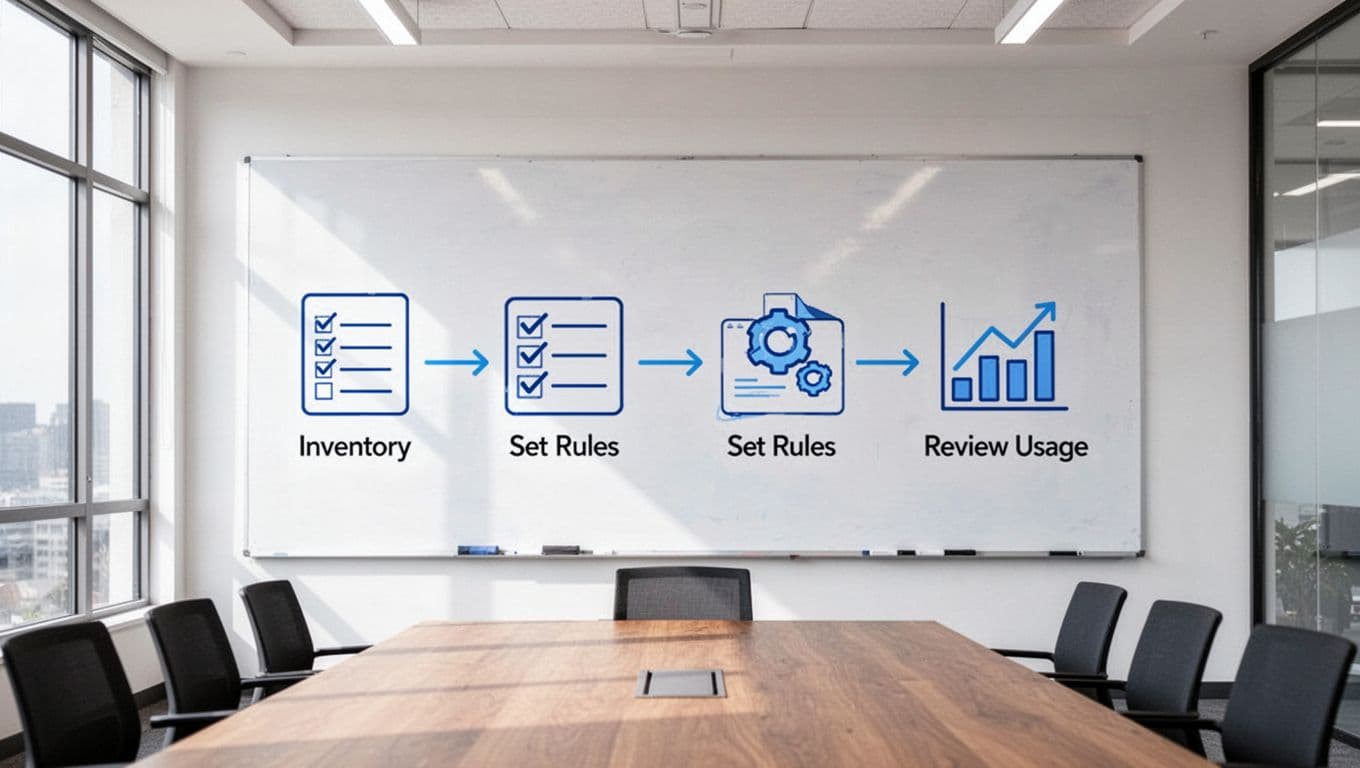
Start with a complete inventory of every SaaS tool
Build a list of every app your company pays for or uses. For each one, capture the app name, owner, department, users, cost, billing cycle, renewal date, contract terms, and business purpose.
Pull data from several places. Finance records show charges. Single sign-on systems can reveal active apps. Browser data and direct team input often uncover tools finance never sees clearly. A good primer on building a SaaS inventory explains why this record should stay live, not become a one-time spreadsheet.
Don’t aim for perfection on day one. Aim for enough visibility to spot obvious waste and assign ownership.
Set clear rules for buying, approving, and renewing software
Once the inventory exists, set plain rules that people can follow. Keep them short. If policy feels like a maze, teams will go around it.
For example, you can require manager approval for small team tools, security review for apps that handle customer data, and legal review for larger annual contracts. You can also set a renewal review window, such as 60 days before renewal, so teams have time to act.
Good policy doesn’t slow every purchase. It creates guardrails. People should know who can approve a tool, when a vendor review is needed, and where contracts must be stored.
Review usage and business value on a regular schedule
This is where savings become real. Review the stack every quarter or twice a year. Check usage, seat counts, renewal dates, and business value.
Ask simple questions. Is the tool still solving a clear problem? Are all paid seats active? Is another approved app already doing the same job? If the answer is no, remove or right-size it.
Many teams focus only on negotiating lower prices. That helps, but it isn’t enough. Cutting unused or low-value apps often saves more. Some organizations also use SaaS spend playbooks for finance teams to formalize review cycles and ownership, which is useful once the basics are in place.
What to look for in a SaaS expense management solution
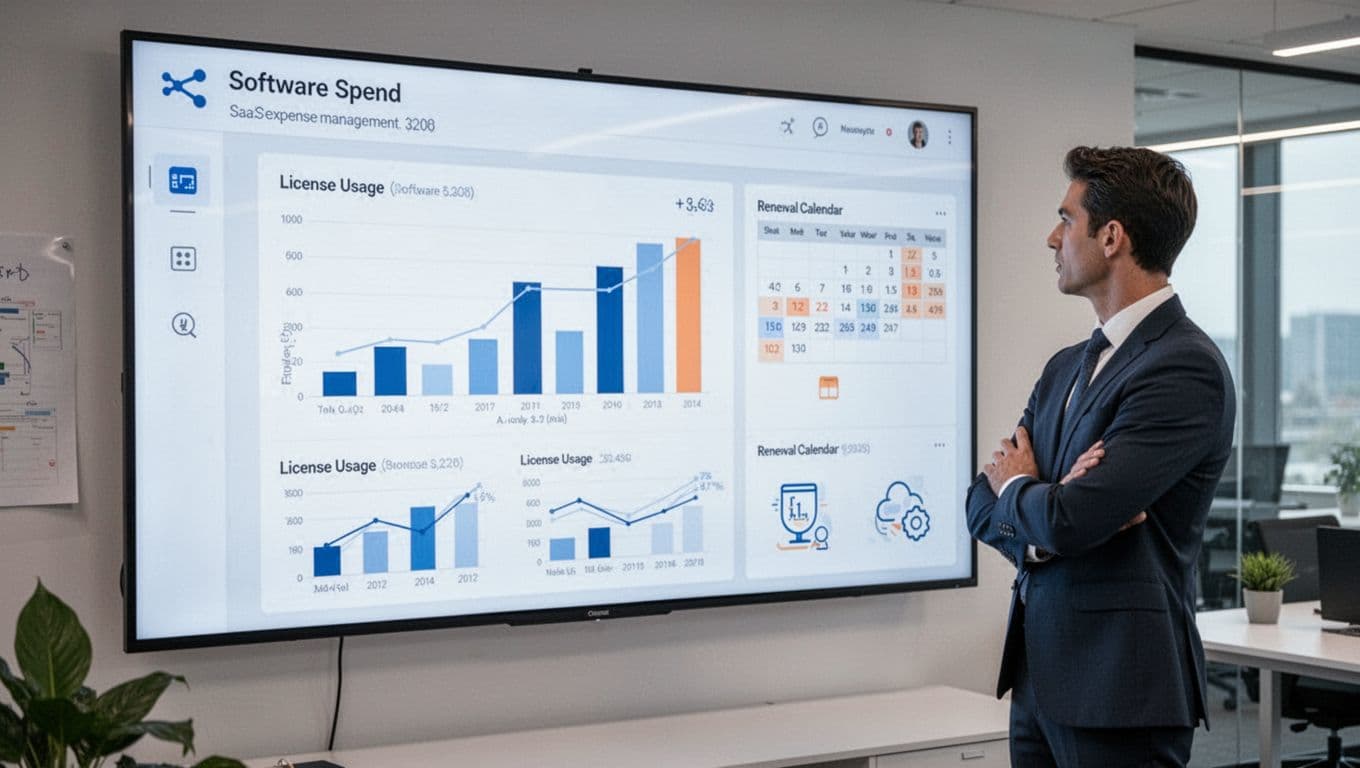
A good solution should help you act, not only admire charts. Dashboards matter, but action matters more.
Some companies need software only. Others want hands-on support with renewals, vendor work, or cleanup. Either way, the best option fits your process, your data sources, and your team’s bandwidth.
Features that save time and reduce waste
Look for spend visibility across cards, invoices, and contracts. Renewal alerts matter because they give teams time to review before the lock-in date. Contract tracking helps keep terms and notice periods in one place.
License usage data is also useful because it shows where paid seats sit idle. App discovery can uncover shadow IT. Workflow automation helps route approvals and reminders without constant manual follow-up. Reporting is important too, especially if finance wants trend views by team or vendor.
If you’re comparing the market, roundups of SaaS spend management tools for 2026 can help you see how vendors differ, even if you still plan to build your own shortlist.
Questions to ask before choosing a platform
Start with practical questions. Does it connect to your accounting system, SSO, ERP, and contract sources? How accurate is its app discovery? How much setup work will your team need to do?
Then ask about action. Can the platform trigger renewal reviews, flag unused seats, and route approvals, or does it only show reports? Also ask how it handles security, support, and custom reporting.
The best platform is the one your team will keep using. Fancy dashboards don’t help if the data is incomplete or the workflow dies after launch.
Software spend usually doesn’t explode all at once. It drifts upward, one app, one renewal, and one unused seat at a time. That’s why saas expense management works best as a habit, not a one-time cleanup.
Start with a clear inventory. Then set simple buying and renewal rules. After that, review usage on a steady schedule and remove tools that no longer earn their cost.
If your stack already feels crowded, begin with an audit this month. A better process starts when someone finally turns on the light.