
Projects rarely blow the budget all at once. More often, the trouble builds quietly. Hours pile up, invoices land late, scope shifts, and suddenly nobody trusts the spreadsheet.
That is why project budget management software matters. It helps teams plan costs, track spending, compare budget vs. actuals, and act before a small miss turns into a painful overrun. In 2026, many tools also include live dashboards, forecasting, alerts, and accounting integrations.
If you’re buying for a team, the goal is simple: get clear numbers fast enough to make better decisions. The details below will help you sort useful tools from shiny ones.
What project budget management software actually helps you do
At its core, this software gives you one place to manage the money side of a project. You set a budget, assign rates or planned costs, record real spending, and watch the gap between the two.
That sounds basic, but it fixes a real problem. Many teams still manage project costs across spreadsheets, time trackers, email approvals, and accounting tools. As a result, the numbers drift. People work from stale data, and managers find out too late that margins are gone.
Good project budget management software cuts that lag. It helps you see labor costs, contractor fees, materials, software charges, travel, and billable hours without stitching reports together by hand. It also makes it easier to forecast what happens next, not only what happened last week.
The business value is practical. Teams make faster calls. Finance gets cleaner records. Project leads spend less time cleaning data. Most importantly, you get fewer surprises.
Track planned costs against real spending in one place
The most useful view is budget vs. actuals. You plan labor by role, set estimated hours, add fixed costs, and then watch real expenses hit the project in real time.
That matters because overspending usually starts in one category. Maybe contractor hours rise. Maybe material prices change. Maybe a project runs long and your internal labor cost climbs every day. A live view helps you spot the shift before it spreads.
For services firms, this often means tracking billable and non-billable time against target margins. For construction teams, it can mean direct costs, rentals, change orders, and committed spend. Current market reviews of project cost tracking software show how much buyers now expect these features to be built into the core product, not added through workarounds.
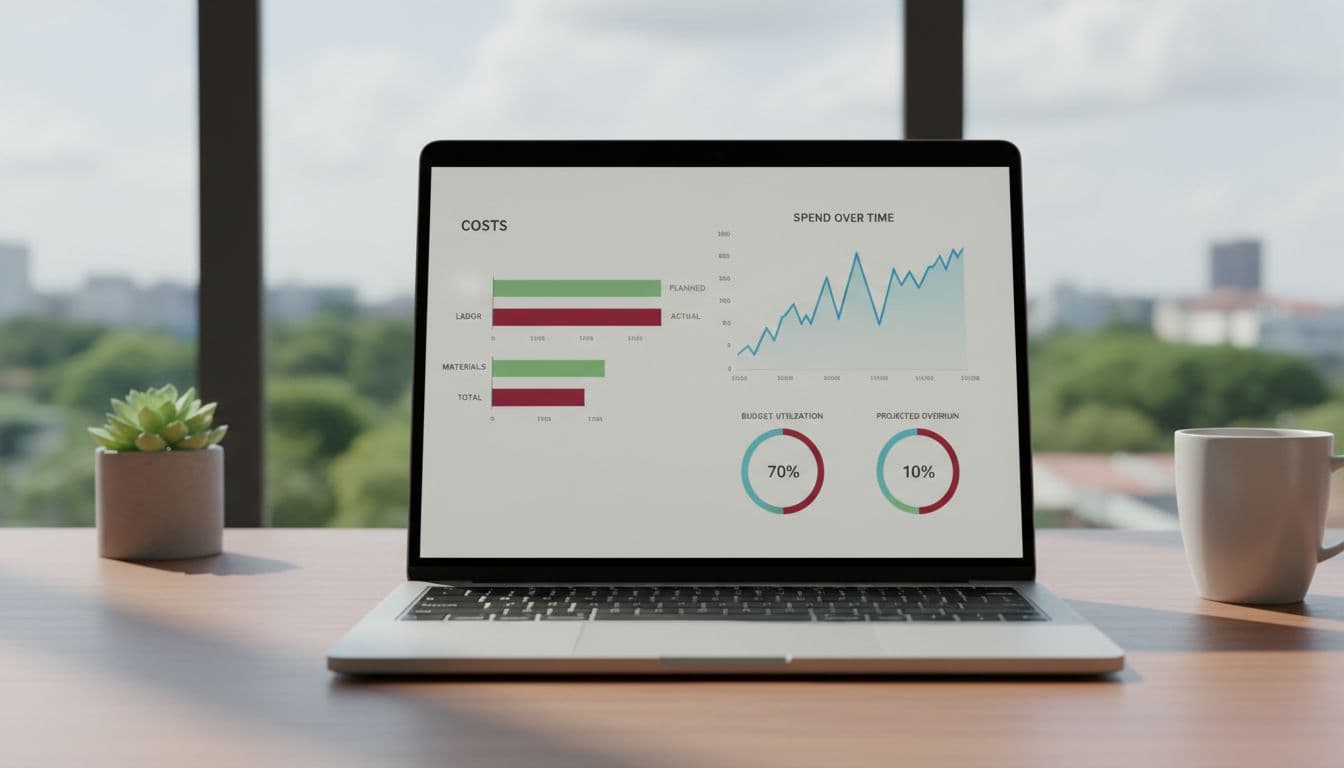
Turn raw numbers into simple reports your team can use
Numbers only help if people can read them. Strong tools turn cost data into dashboards, burn reports, forecast views, and margin summaries that make sense to managers and executives.
A project manager might need weekly labor burn and remaining budget. Finance may want revenue, cost, and cash flow trends. Leadership usually wants a short answer: are we healthy, drifting, or in trouble?
Forecasting is where software earns its keep. If current spend continues, when will the budget break? If you add two contractors, what happens to margin? Instead of digging through tabs, teams can use one dashboard to answer those questions and move sooner.
The best budget report is the one your team will read before the damage is done.

The features that matter most when comparing tools
Not every platform handles budgets the same way. Some tools add a light budget field to a task system. Others are built to manage costs, approvals, forecasting, and billing together. The right choice depends on how much control your team needs.
In 2026, buyers expect more than a static budget tab. Real-time updates, embedded cost tracking, mobile access, scenario planning, and workflow automation are moving from “nice” to normal. Still, the basics matter most.
Must-have features for better cost control
Start with budget planning. You should be able to set cost baselines by project, phase, person, or category. Then look for expense tracking and time tracking, because labor is often the biggest cost and the easiest one to underestimate.
Resource management helps too. If the wrong people are booked at the wrong rates, budgets drift even when the schedule looks fine. Alerts and approval flows also matter. A simple warning when actuals hit 80 percent of budget is far more useful than a month-end surprise.
Permissions are easy to overlook. They matter because project leads, finance teams, and executives need different levels of access. The software should show each person what they need without exposing every rate or financial detail to the whole team.
Nice-to-have tools that can save time as you grow
Once projects get more complex, growth features start paying off. AI-based forecasting can flag likely overruns based on current burn. Scenario planning lets you test staffing changes, delays, or budget cuts before they happen. That trend has become more common in 2026, especially in tools focused on finance visibility and resource planning.
Accounting and ERP integrations matter for the same reason. If your project budget tool syncs with QuickBooks, NetSuite, or a similar system, you spend less time reconciling numbers. Construction teams may also want purchase orders, direct cost capture, and change management workflows. Tools built for project financials and change management show how much those controls matter once field updates and budget approvals start moving fast.
Mobile dashboards, invoicing, and automated approvals also become more useful as teams spread out. They save minutes each day, and those minutes add up.
How to choose the right project budget management software for your team
The best tool is the one that fits your work, not the one with the loudest marketing. A small agency, a construction firm, and an internal operations team may all need budget control, but they do not need it in the same form.
Start with your project type, team size, and budget process
Begin with how your team already works. If you bill by time and rates, you need strong time capture, margin reporting, and invoicing. If you manage builds, you may need committed costs, change orders, subcontractor tracking, and field-to-office updates. If your team runs internal projects, ease of use may matter more than heavy financial controls.
Team size shapes the choice too. Smaller groups often do better with software they can set up in days. Larger teams may need role-based permissions, deeper workflows, and stronger audit trails.
Reporting needs are another filter. Some teams only need project-level budget health. Others need portfolio views, cash forecasting, and executive reporting. Market roundups of project management software in 2026 show how wide that gap has become. The tool that feels light and simple for one team may feel thin and risky for another.
Ask these questions before you commit to a platform
Use demos and trials to answer a few hard questions. Can the tool show real-time budget vs. actuals without exporting data? Does it sync with your accounting system? Is setup simple enough that your team will finish it?
Also ask whether non-finance users can understand the screens. If project managers avoid the software, the numbers will go stale. Reports should work for both managers and executives, because each group needs a different level of detail.
Check total cost with care. License price is only part of it. Add onboarding, admin time, integration work, and the cost of forcing people into a tool they hate.
Fit beats feature count. A tool that your team uses every day is worth more than a bigger system that nobody trusts.
Popular project budget management software options in 2026
The market is crowded, so it helps to sort tools by use case. There is no single winner for every team.
Here is a quick view:
| Team need | Common fits in 2026 | Why teams look at them |
|---|---|---|
| Construction and field-heavy work | Procore | Direct cost tracking, budget visibility, change management |
| Professional services and billing | BigTime, Scoro, Kantata | Time, rates, margin tracking, invoicing |
| Flexible cross-team workflows | monday.com, Wrike | Custom workflows, dashboards, automation |
| Planning and finance oversight | Centage, Abacum | Forecasting, scenario planning, finance visibility |
Best fits for construction, services, and flexible team workflows
Procore often comes up for construction because it ties project cost control to the realities of the jobsite. BigTime, Scoro, and Kantata fit many services teams because they connect budgets with utilization, billing, and revenue.
Meanwhile, monday.com and Wrike appeal to teams that want budget tracking inside a broader work management system. They are often a better match when collaboration and workflow flexibility matter as much as financial depth.
Recent buyer guides on budget project management tools also show a split in the market. Some products focus on broad project management first. Others focus on project financial control first. Buyers should know which side they need.
When a simpler tool is enough, and when you need deeper finance controls
A lighter tool can work well for a small team with simple budgets, stable rates, and low purchase complexity. If your projects mostly need time tracking, a budget cap, and a clear dashboard, you may not need a finance-heavy system.
That changes when budgets involve approvals, purchase orders, multiple cost types, or strict reporting. Larger teams often need deeper planning, stronger accounting sync, and better control over who can approve what. A broader look at budget and cost management software makes this clear: once project complexity rises, basic budget fields stop being enough.
The smartest buy is often the tool one step ahead of your current needs, not five steps ahead.
A simple budget can drift faster than most teams expect. The right project budget management software gives you live visibility, clearer reports, and time to fix problems before they grow.
Focus on fit, ease of use, reporting, and integrations. Then shortlist a few tools and test them with a real project budget, not a polished demo.
That is usually when the right choice becomes obvious.