
Picture this: A new hospital wing finally opens, but the IT upgrade runs 30 days late. Staff scramble as HVAC alarms fail to connect, delaying patient transfers and risking emergency responses. Delays like these disrupt care and waste millions.
You face similar headaches in healthcare projects, from facility builds to staff training. Poor planning hits hard amid 2026’s $30.7 billion construction boom, fueled by inflation, shortages, and rising costs up 7.5%. Healthcare project management software steps in to fix that.
It organizes tasks, teams, and timelines while keeping everything HIPAA compliant. Teams use it for IT rollouts, telehealth setups, or compliance audits, so you meet strict rules without the chaos. Plus, AI features predict risks and automate routines.
Expect bigger demands in 2026 from tech like connected devices and GenAI. This software delivers better patient care, slashes delays, and cuts costs, so you focus on what matters.
We’ll cover top tools like Celoxis, key features, real benefits, common challenges, and tips to pick the best one for your needs.
Essential Features That Make Healthcare Projects Run Smoothly
Healthcare project management software shines when it packs features built for medical chaos. You need tools that handle work intake from busy departments, like collecting shift scheduling requests or compliance ideas. Then come planning aids such as Gantt charts for timelines and milestones. Task assignment keeps everyone on track, while workflow automation speeds approvals and billing. Real-time collaboration with file sharing helps teams sync up. Reporting dashboards deliver quick performance views, and mobile access lets staff check in from anywhere. Integrations with EHR systems tie it all together. Security locks down patient data. These prevent slips like missed deadlines or data leaks, as seen in staff shift projects or hospital compliance drives.
Planning and Tracking Tools Built for Busy Medical Teams
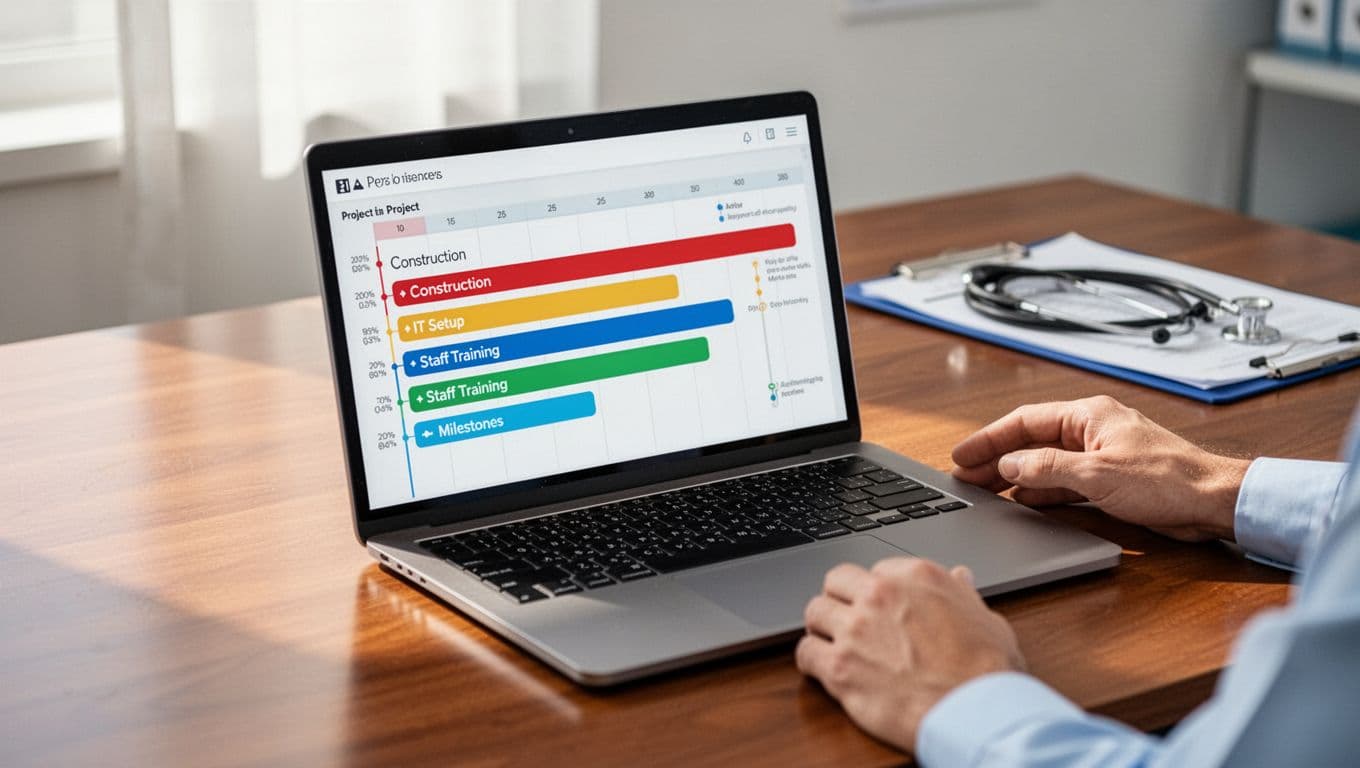
Gantt charts map out timelines with colorful bars for tasks, dependencies, and milestones. They show exactly when construction ends or IT setup begins. Resource allocation views balance doctor shifts and equipment across projects. Workload dashboards flag overloads before burnout hits.
Consider opening a new clinic. You plot phases: site prep in week one, staff training by week six. Milestones mark license approval and go-live day. Nurses see their assignments; managers spot bottlenecks. This setup cuts delays by 20%, because teams spot issues fast.
Security and Compliance Features You Can’t Ignore
HIPAA compliance tops the list, so software enforces rules automatically. Secure access uses role-based logins; only admins view sensitive files. Audit trails log every change, proving who did what. Data encryption scrambles info at rest and in transit.
These matter hugely for patient privacy during IT upgrades. Hackers target healthcare, but strong trails help pass audits. In one EHR rollout, encryption stopped breaches, while logs traced a false alarm to a training glitch. Check lists of top HIPAA-compliant tools for options like monday.com. Without them, fines hit millions, and trust crumbles.
Top Healthcare Project Management Software Picks for 2026
You need reliable healthcare project management software that matches your hospital’s scale and needs. In 2026, options split between specialized tools for complex medical projects and flexible ones for everyday teams. Celoxis and Yukti target healthcare directly with templates for IT rollouts and regulations. Asana, Monday.com, and Wrike adapt well across sizes. Oracle Primavera P6 handles massive schedules. Start with free trials to test fits.
Here’s a quick comparison to guide your choice:
| Tool | Best For | Key Features | Starting Price (per user/month) |
|---|---|---|---|
| Celoxis | Enterprise hospitals | Gantt charts, risk management, AI templates for IT/regulatory | Flexible licensing (approvers free) |
| Yukti | Healthcare compliance | AI resource allocation, project templates, stakeholder tracking | Custom quote |
| Asana | Small-medium teams | Visual workflows, portfolios, integrations | $10.99 (Premium); $45 Enterprise+ for HIPAA |
| Monday.com | Visual collaboration | Custom boards, automations | Low entry; Enterprise for HIPAA |
| Wrike | Cross-team reporting | Dashboards, proofing, workflows | $45 |
| Oracle Primavera P6 | Complex builds | Advanced scheduling, resources | Enterprise quote |
This table shows trade-offs: specialized tools excel in compliance, while general ones win on ease. All support HIPAA with proper setup; verify Celoxis healthcare tools or Yukti project features.

Celoxis and Yukti: Leaders in Healthcare-Specific Tools
Celoxis suits big hospitals with Gantt charts, risk tracking, and AI templates for IT upgrades or regulatory audits. You get secure workflows that handle stakeholder updates and PDSA cycles for quality checks. Hospitals love it because one platform replaces spreadsheets for facility projects; approvers join free, so costs stay low.
Yukti focuses on healthcare too, with AI agents for resource matching and templates built around patient safety and compliance timelines. It tracks stakeholders during EHR installs without halting operations. Both fit hospitals best: they centralize intake, predict delays, and ensure HIPAA rules stick. Pros include strong reporting; cons mean steeper learning for small teams. Try their demos first.
Asana, Monday.com, and Wrike: Flexible Options for Any Team Size
These general tools shine for varied teams, with strong visuals and integrations like EHR systems. Asana starts at $10.99/user/month for basics but jumps to $45 for HIPAA Enterprise+. Monday.com offers colorful boards from low prices, great for quick setups. Wrike, at $45, packs dashboards for exec views.
Choose them over specialized ones when your team is small or projects mix creative work with routine tasks; they adapt fast without heavy config. Asana wins for simplicity, Monday.com for custom visuals, Wrike for reporting. All integrate well, but watch HIPAA limits on lower tiers. Pros: easy adoption, mobile apps. Cons: less built-in medical templates. Test 30-day trials to compare.
Real Benefits: How This Software Improves Care and Saves Money
Healthcare project management software delivers real wins. It boosts patient care and trims costs through better planning, smart resource use, and clear communication. Doctors, nurses, and IT teams stay aligned, so projects finish on time. This cuts delays in patient services and prevents staff burnout. Early issue detection keeps things smooth, while budget tracking avoids overruns. Centralized info means everyone accesses the same details fast. Patients benefit from shorter waits and higher satisfaction. For example, teams cut project failures with real-time dashboards, as Ballad Health did by saving over 3,000 hours yearly.
Streamlining Teamwork to Boost Patient Satisfaction
Collaboration tools in healthcare project management software reduce errors and speed updates. Teams share files and chat in real time, so no one misses key changes. Vendor projects for equipment installs show this best. A hospital sets up new MRI machines; doctors flag needs, IT tracks installs, and nurses confirm tests. Real-time views prevent mix-ups that delay scans. Patients get faster care, and satisfaction rises because waits shrink. Everyone works from one dashboard, cutting miscommunication by spotting issues early.

Staying on Budget While Meeting Strict Deadlines
Cost tracking keeps projects lean. Software compares planned budgets against actual spends in real time, so you catch overruns fast. Facility expansions prove the point. A clinic adds beds; managers log vendor bids, material costs, and labor hours. Alerts flag if plumbing exceeds estimates, allowing quick adjustments. Deadlines hold firm because timelines link to costs. This saves money, like the $7 million Intermountain Health gained in one case study. Teams meet rules without waste, freeing funds for patient care.
Challenges to Watch For and How to Beat Them
Healthcare project management software solves many issues, but hurdles like security threats, HIPAA rules, and old-system integrations persist in 2026. Tight budgets, data overload, and staff resistance add pressure. Cross-team coordination falters too. Beat them by picking compliant tools first, then use agile methods and quick training. Start small with pilots to test fits. These steps keep projects on track and costs low.
Tackling Security and Integration Head-On
Security tops concerns because hackers eye health data. Choose healthcare project management software with encryption, role-based access, and audit logs to meet HIPAA. Sign a Business Associate Agreement for enterprise plans from tools like Asana or Wrike. For integrations, seek API-ready options that link to EHRs without $50K custom work.
Teams often struggle with legacy systems. Pick tools with open APIs; test connections early. One hospital cut delays by 30% this way. In addition, consult compliance experts during setup.

Check HIPAA-compliant project management tools for proven lists.
Making Adoption Easy for Overworked Staff
Busy staff skip clunky tools, so usability matters. Go for intuitive healthcare project management software with mobile apps and simple dashboards. Nurses check tasks on phones during rounds; this boosts buy-in.
Training helps too. Run short sessions with hands-on demos, then pair new users with buddies. Focus on quick wins, like one-click updates. Meanwhile, address data overload with filters and AI summaries. Budgets stay safe by starting with free trials.
As a result, adoption rises, and projects speed up. See hospital software comparisons for mobile-friendly picks.
Your Guide to Choosing and Implementing the Right Software
Picking the right healthcare project management software saves time and headaches. You start by matching tools to your team’s size and project types, like EHR upgrades or facility builds. Then compare features, prices, and reviews before trials. Finally, roll it out with training and track results. This process ensures smooth adoption and real gains.
Assess Your Needs Up Front
First, list your projects and team setup. Small clinics need simple tools; big hospitals want scalability and AI predictions. Check HIPAA compliance, integrations with EHRs, and ease for nurses. Involve IT, clinical staff, and leaders early. This step avoids mismatches that waste money.

Compare Features, Run Trials, and Review Feedback
Next, weigh options side by side. Look at Gantt charts, resource tracking, and mobile access. Prices range from $10 per user to enterprise quotes, so match your budget. Read user reviews on sites like this 2026 comparison of top healthcare tools. Test two or three with free trials on real tasks. Feedback highlights wins, like quick setups or integration snags.
Roll Out Smartly and Measure Wins
Plan training with short videos and buddy sessions. Customize workflows for compliance checks, then integrate early. Start small, like one department, to build momentum. Track KPIs such as on-time delivery and budget adherence. Adjust based on usage data. As a result, teams deliver better care without overruns.
Follow this actionable checklist for success:
- Map team size and project types.
- Shortlist tools by features and HIPAA fit.
- Run 2-3 trials; gather staff input.
- Train in quick sessions; customize templates.
- Launch pilot; monitor KPIs weekly.
- Scale up after proving gains.
Conclusion
Healthcare project management software packs essential features like Gantt charts and HIPAA security. Top picks such as Celoxis and Asana handle everything from IT rollouts to compliance audits. Benefits like faster teamwork and budget savings far outweigh challenges, because smart tools keep projects on track.
You avoid those opening delays that disrupt patient care. Pick Celoxis for enterprise needs or Asana for teams, then start a free trial today.
Share your experiences in the comments below. Subscribe for more tips on 2026 healthcare tools.