
Choosing Consulting Project Management Software in 2026
Most consulting firms don’t struggle because they forgot to assign a task. They struggle because client work, deadlines, billable hours, team capacity, budgets, and profit live in too many places.
That is why consulting project management software matters. The right tool does more than track work. It also helps you log time, plan staffing, invoice faster, and spot budget trouble before a project slips. This guide will help you sort through the category and choose a platform that fits the way your firm actually works.
What consulting project management software actually helps you do
A good system gives you one place to run delivery. That includes project plans, team schedules, time entries, budget status, and client-facing updates. As a result, fewer details fall through the cracks.
General project tools can help with tasks. Consulting teams usually need more. If you want a quick look at the wider market, this 2026 project management software comparison shows how broad the category has become, and why service firms often outgrow basic task boards.
Keep projects, people, and deadlines organized in one system
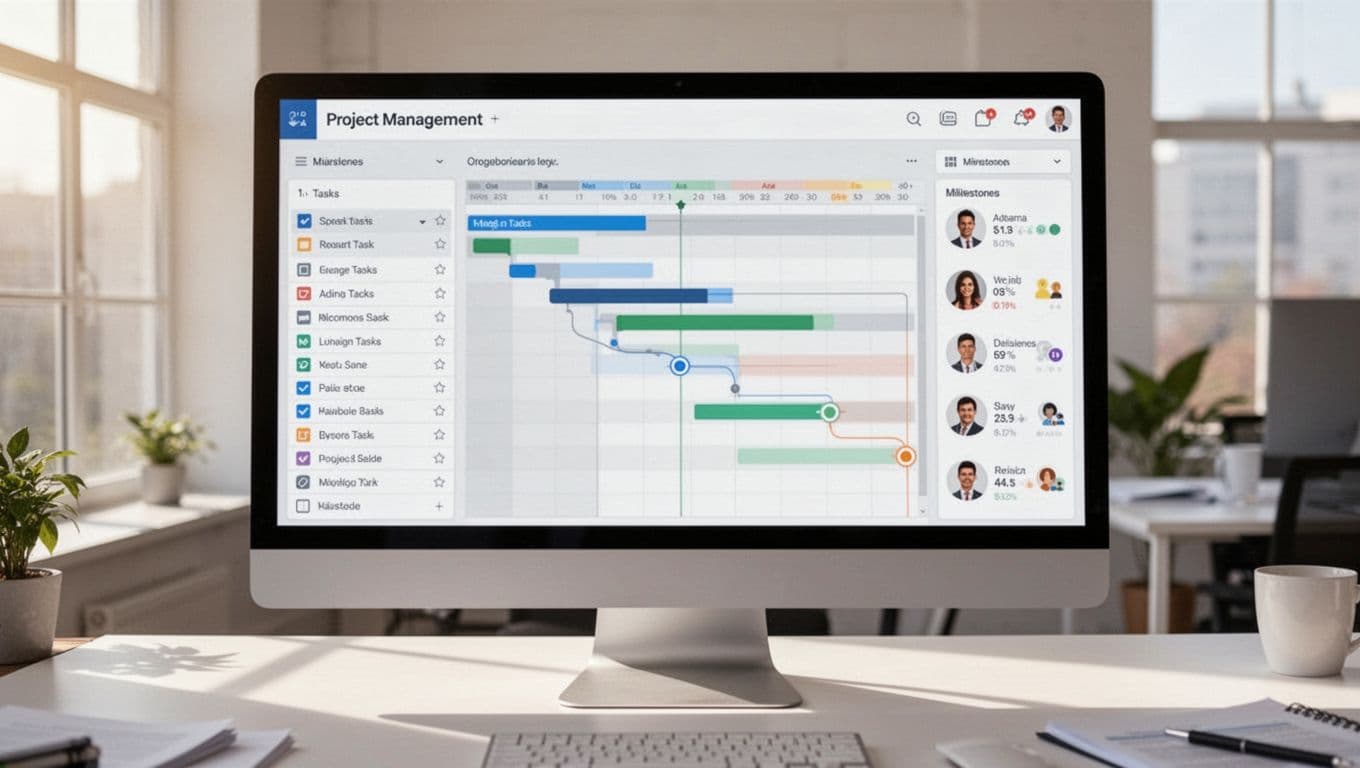
When work sits across email, spreadsheets, and chat, every status meeting turns into detective work. A consulting platform cuts that noise. It gives project leads shared timelines, milestone tracking, task ownership, and clear status views.
That matters because client work changes fast. Scope shifts. Review dates move. A consultant gets pulled into a sales call or a live issue. When everyone works from the same system, those changes show up in the plan instead of hiding in someone’s inbox.
You also get cleaner handoffs. Strategy, delivery, and account teams can all see what’s due next. Meanwhile, leaders can scan project health without asking for five separate updates.
Track billable time, budgets, and profit without extra manual work
For consulting firms, time is revenue. That makes billable time tracking one of the biggest differences between consulting software and a standard project app.
The best tools let consultants log hours inside the work they are doing. Then managers can compare actual hours to budgeted hours in real time. If a fixed-fee project starts burning too much effort, you see it early. If a retainer is underused, you catch that too.
This also helps separate billable work from non-billable work. Internal meetings, proposal support, training, and admin time still matter. However, they should not blur the picture of project profit. When time, expenses, and budgets connect in one place, billing becomes faster and margin reporting gets much more reliable.
The features to look for before you choose a platform
Most firms don’t need the longest feature list. They need the few capabilities that remove daily friction and improve delivery. In April 2026, broad PM leaders in the US still include tools like ClickUp, Wrike, Smartsheet, Asana, and Monday.com. Still, consulting firms should look past popularity and focus on work planning, utilization, and financial visibility.
Resource planning that shows who is available and who is overloaded
Consulting firms sell expertise and time. So staffing is not a side feature. It is part of the business model.
Look for workload views that show who has room next week and who is already stretched. Capacity planning should also help you forecast upcoming work, so sales promises line up with actual delivery bandwidth. Without that view, firms either overbook strong people or leave revenue on the table.
Utilization reporting matters for the same reason. You need to know whether your team spends enough time on client work, and whether some people carry too much internal load.
If you can’t see utilization clearly, it’s hard to price new work with confidence.

Client-friendly reporting, dashboards, and integrations that save time
Reporting should help two groups at once: your team and your clients. Internally, you want budget snapshots, project burn, overdue work, and utilization trends. Externally, you want progress reports that are clear and easy to share.
This is also where integrations matter. A solid consulting setup should connect with CRM, accounting, email, and calendar tools. That reduces double entry and keeps project data closer to the source. You can see this shift in products such as Wrike’s consulting software overview, which puts portfolio tracking and client communication near the center.
AI-powered insights are also more common in 2026. In simple terms, that means some platforms now flag risks, summarize status, or surface delayed work across a portfolio. Helpful dashboards can save hours each week, especially for managers who oversee many client accounts.
Top consulting project management software options for different firm sizes
The market is crowded, so quick fit matters. Many consulting firms need PSA-style features, meaning professional services automation, rather than a simple to-do app. That usually means time, billing, resourcing, and reporting in the same system.
Best choices for small to midsize consulting firms
Accelo is a strong fit for firms that want client service workflows tied together from quote to project to invoice. It works well when account management, delivery, retainers, and billing need to connect without a lot of patchwork. For many boutique consultancies, that joined-up flow is the main draw.
BigTime is often the better choice when time billing and project financial control matter most. It is especially strong for firms that live in hourly work, need better visibility into write-downs, or want cleaner invoicing and budget tracking. This Accelo vs. BigTime comparison captures the core split well: connected client operations on one side, stronger financial and time controls on the other.
ClickUp works for firms that want flexibility at a lower cost. It can handle tasks, docs, dashboards, and time tracking in one workspace. However, many consulting teams will need more setup to make it feel like a true consulting system. If you have the patience to build workflows, it can be a solid value. If you want structure out of the box, it may feel open-ended.
Best picks for growing or complex consulting teams
Kantata is one of the clearest fits for firms that want full PSA depth. It is built for professional services work and shines when resource planning, forecasting, project finance, and portfolio oversight all need to work together. Larger consultancies often short-list it first for that reason.
Celoxis suits teams with more complex portfolios and tighter control needs. If you manage many concurrent projects with dependencies, approvals, and cross-team reporting, it gives you a lot of operational detail. Some firms like it because it balances planning depth with solid reporting.
Wrike is a strong option for resource-heavy teams that need flexible workflows and broad visibility. It appears often on 2026 market lists because it handles both day-to-day work and larger portfolio views well. It may fit consulting groups inside a larger company, especially when many departments need to collaborate.
Smartsheet works well for firms that like spreadsheet-style planning and dashboard-driven oversight. Leaders often like it because reports are easy to scan and share. Delivery teams may need more process design up front, but it can be a good match for PMO-led environments.
If you want another outside view while building a shortlist, this consultant tool roundup for 2026 is useful for comparing how different vendors position themselves.
How to pick the right software for your consulting firm
A flashy demo can hide a poor fit. The best choice depends on how you sell work, how your team tracks time, and how much control you need over staffing and margins.
Match the tool to your service model, team size, and billing process
Solo consultants often need simple project tracking, time entry, and invoicing. Boutique firms usually need stronger team scheduling, budget control, and shared reporting. Larger consultancies need portfolio views, approval rules, and more detailed resourcing.
Billing model matters too. Hourly billing leans hard on time capture and invoice accuracy. Fixed-fee work needs stronger budget burn and margin visibility. Retainers call for usage tracking. Mixed models need all of the above.
Choose software that fits your delivery model first. A huge feature set won’t help if the daily workflow feels awkward.
Test real workflows before you commit
Use a trial or demo with a live project, not a fake one. That shows you where the system helps and where it adds friction.
A short test should cover these steps:
- Create an active client project with milestones and owners.
- Enter time, expenses, and budget limits.
- Schedule people across overlapping work.
- Build the report or invoice you would send this month.
Pay close attention to setup effort. Also watch whether consultants can use the tool without training that drags on for weeks. Adoption usually decides the result more than feature count.
The best consulting project management software helps you deliver work on time, track billable effort, manage capacity, and protect profit. Everything else is secondary.
Your firm’s best option depends on workflow complexity, team size, and reporting needs. Shortlist a few tools, run them against real client work, and keep the one your team will use every day.Most consulting firms don’t struggle because they forgot to assign a task. They struggle because client work, deadlines, billable hours, team capacity, budgets, and profit live in too many places.
That is why consulting project management software matters. The right tool does more than track work. It also helps you log time, plan staffing, invoice faster, and spot budget trouble before a project slips. This guide will help you sort through the category and choose a platform that fits the way your firm actually works.
What consulting project management software actually helps you do
A good system gives you one place to run delivery. That includes project plans, team schedules, time entries, budget status, and client-facing updates. As a result, fewer details fall through the cracks.
General project tools can help with tasks. Consulting teams usually need more. If you want a quick look at the wider market, this 2026 project management software comparison shows how broad the category has become, and why service firms often outgrow basic task boards.
Keep projects, people, and deadlines organized in one system
When work sits across email, spreadsheets, and chat, every status meeting turns into detective work. A consulting platform cuts that noise. It gives project leads shared timelines, milestone tracking, task ownership, and clear status views.
That matters because client work changes fast. Scope shifts. Review dates move. A consultant gets pulled into a sales call or a live issue. When everyone works from the same system, those changes show up in the plan instead of hiding in someone’s inbox.
You also get cleaner handoffs. Strategy, delivery, and account teams can all see what’s due next. Meanwhile, leaders can scan project health without asking for five separate updates.
Track billable time, budgets, and profit without extra manual work
For consulting firms, time is revenue. That makes billable time tracking one of the biggest differences between consulting software and a standard project app.
The best tools let consultants log hours inside the work they are doing. Then managers can compare actual hours to budgeted hours in real time. If a fixed-fee project starts burning too much effort, you see it early. If a retainer is underused, you catch that too.
This also helps separate billable work from non-billable work. Internal meetings, proposal support, training, and admin time still matter. However, they should not blur the picture of project profit. When time, expenses, and budgets connect in one place, billing becomes faster and margin reporting gets much more reliable.
The features to look for before you choose a platform
Most firms don’t need the longest feature list. They need the few capabilities that remove daily friction and improve delivery. In April 2026, broad PM leaders in the US still include tools like ClickUp, Wrike, Smartsheet, Asana, and Monday.com. Still, consulting firms should look past popularity and focus on work planning, utilization, and financial visibility.
Resource planning that shows who is available and who is overloaded
Consulting firms sell expertise and time. So staffing is not a side feature. It is part of the business model.
Look for workload views that show who has room next week and who is already stretched. Capacity planning should also help you forecast upcoming work, so sales promises line up with actual delivery bandwidth. Without that view, firms either overbook strong people or leave revenue on the table.
Utilization reporting matters for the same reason. You need to know whether your team spends enough time on client work, and whether some people carry too much internal load.
If you can’t see utilization clearly, it’s hard to price new work with confidence.
Client-friendly reporting, dashboards, and integrations that save time
Reporting should help two groups at once: your team and your clients. Internally, you want budget snapshots, project burn, overdue work, and utilization trends. Externally, you want progress reports that are clear and easy to share.
This is also where integrations matter. A solid consulting setup should connect with CRM, accounting, email, and calendar tools. That reduces double entry and keeps project data closer to the source. You can see this shift in products such as Wrike’s consulting software overview, which puts portfolio tracking and client communication near the center.
AI-powered insights are also more common in 2026. In simple terms, that means some platforms now flag risks, summarize status, or surface delayed work across a portfolio. Helpful dashboards can save hours each week, especially for managers who oversee many client accounts.
Top consulting project management software options for different firm sizes
The market is crowded, so quick fit matters. Many consulting firms need PSA-style features, meaning professional services automation, rather than a simple to-do app. That usually means time, billing, resourcing, and reporting in the same system.
Best choices for small to midsize consulting firms
Accelo is a strong fit for firms that want client service workflows tied together from quote to project to invoice. It works well when account management, delivery, retainers, and billing need to connect without a lot of patchwork. For many boutique consultancies, that joined-up flow is the main draw.
BigTime is often the better choice when time billing and project financial control matter most. It is especially strong for firms that live in hourly work, need better visibility into write-downs, or want cleaner invoicing and budget tracking. This Accelo vs. BigTime comparison captures the core split well: connected client operations on one side, stronger financial and time controls on the other.
ClickUp works for firms that want flexibility at a lower cost. It can handle tasks, docs, dashboards, and time tracking in one workspace. However, many consulting teams will need more setup to make it feel like a true consulting system. If you have the patience to build workflows, it can be a solid value. If you want structure out of the box, it may feel open-ended.
Best picks for growing or complex consulting teams
Kantata is one of the clearest fits for firms that want full PSA depth. It is built for professional services work and shines when resource planning, forecasting, project finance, and portfolio oversight all need to work together. Larger consultancies often short-list it first for that reason.
Celoxis suits teams with more complex portfolios and tighter control needs. If you manage many concurrent projects with dependencies, approvals, and cross-team reporting, it gives you a lot of operational detail. Some firms like it because it balances planning depth with solid reporting.
Wrike is a strong option for resource-heavy teams that need flexible workflows and broad visibility. It appears often on 2026 market lists because it handles both day-to-day work and larger portfolio views well. It may fit consulting groups inside a larger company, especially when many departments need to collaborate.
Smartsheet works well for firms that like spreadsheet-style planning and dashboard-driven oversight. Leaders often like it because reports are easy to scan and share. Delivery teams may need more process design up front, but it can be a good match for PMO-led environments.
If you want another outside view while building a shortlist, this consultant tool roundup for 2026 is useful for comparing how different vendors position themselves.
How to pick the right software for your consulting firm
A flashy demo can hide a poor fit. The best choice depends on how you sell work, how your team tracks time, and how much control you need over staffing and margins.
Match the tool to your service model, team size, and billing process
Solo consultants often need simple project tracking, time entry, and invoicing. Boutique firms usually need stronger team scheduling, budget control, and shared reporting. Larger consultancies need portfolio views, approval rules, and more detailed resourcing.
Billing model matters too. Hourly billing leans hard on time capture and invoice accuracy. Fixed-fee work needs stronger budget burn and margin visibility. Retainers call for usage tracking. Mixed models need all of the above.
Choose software that fits your delivery model first. A huge feature set won’t help if the daily workflow feels awkward.
Test real workflows before you commit
Use a trial or demo with a live project, not a fake one. That shows you where the system helps and where it adds friction.
A short test should cover these steps:
- Create an active client project with milestones and owners.
- Enter time, expenses, and budget limits.
- Schedule people across overlapping work.
- Build the report or invoice you would send this month.
Pay close attention to setup effort. Also watch whether consultants can use the tool without training that drags on for weeks. Adoption usually decides the result more than feature count.
The best consulting project management software helps you deliver work on time, track billable effort, manage capacity, and protect profit. Everything else is secondary.
Your firm’s best option depends on workflow complexity, team size, and reporting needs. Shortlist a few tools, run them against real client work, and keep the one your team will use every day.