Ad
Ad
Ad
Author

admin

Browsing

Most attacks don’t start in a server room. They start on a laptop, a phone, a cloud VM, or a remote worker’s device. That’s the problem. Your endpoints are everywhere, and attackers know it. A small IT team can’t watch every device at every hour, especially after business hours or during a busy incident. A managed endpoint detection and response service fills that gap. It pairs endpoint security software with people who monitor, investigate, and help stop threats fast. Here’s what the service does, how it works, when it earns its cost, and what to look for before you sign. What a managed endpoint detection and response service actually does At a basic level, this service watches computers, servers, and mobile devices for signs of attack. However, it goes far beyond basic antivirus. Antivirus mainly looks for known bad files. EDR, short for endpoint detection and response, watches device behavior.…

Getting steady growth in 2026 is hard enough. Doing it while keeping customer acquisition costs under control is even harder. That’s why many teams look for saas marketing services. In plain English, that means outside help with strategy, content, SEO, paid media, lifecycle email, and conversion work that turns attention into trials, demos, and revenue. The best providers don’t stop at traffic. They connect every channel to the buying journey, so you can see what moves pipeline, what helps users activate, and what keeps customers around. Let’s break down what these services include, when to hire them, and how to choose the right partner. What SaaS marketing services usually include SaaS marketing isn’t one thing. It’s a set of services that should work together, like gears in the same machine. A good provider looks at the full path from first touch to renewal. That means awareness, yes, but also demo…
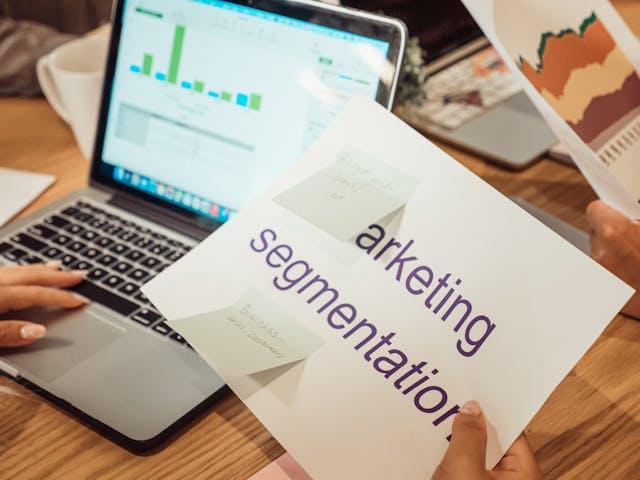

A/B testing tools help you compare two versions of a page, offer, or feature to see which one performs better. That matters because small changes can lift sign-ups, sales, and user satisfaction without a full redesign. Still, picking from the best a/b testing tools isn’t simple. Some work well for lean marketing teams. Others fit large product organizations with engineers, analysts, and strict reporting needs. The right choice depends on your traffic, goals, tech skills, and budget. Before you pay for a platform, it helps to know what separates a useful testing tool from one that only looks good in a demo. What makes an A/B testing tool worth using Good A/B testing software should help you move from idea to result without turning every test into a mini software project. If setup is slow, reporting is hard to trust, or the tool drags down your site, you won’t use…

Leads in one tool, trials in another, billing in Stripe, support in Intercom, and renewals in a spreadsheet, that’s how SaaS teams lose the plot. A CRM should pull those pieces into one working system, not add another layer of mess. That matters more in SaaS because revenue repeats, churn hurts, and customer value grows after the first deal. You also need clean handoffs between marketing, sales, and customer success. If you’re looking for the best CRM for SaaS companies, the right choice depends on your sales motion, team size, and how fast you’re growing. What SaaS teams should look for in a CRM before they buy A SaaS CRM has to do more than store contacts. It needs to support the full customer journey, from first touch to renewal and expansion. That means judging every platform by the same few standards before you get pulled in by feature lists…

A landscaping company can do great work and still lose money from simple chaos. A missed text, a double-booked crew, a change order buried in someone’s phone, that’s often where the trouble starts. Landscaping project management software pulls those loose pieces into one place. It helps you keep jobs, people, schedules, notes, and costs connected, so the office and field stay on the same page. If you’re an owner, office manager, or ops lead, this guide will help you spot what matters most. What landscaping project management software actually helps you manage Most people hear “project management” and think of a calendar. In landscaping, it goes much further than that. Good software covers the full path from first inquiry to final invoice. That means it can hold customer details, build estimates, assign crews, track job status, log time, record materials, manage change requests, and push billing forward without lost handoffs.…

Missed deadlines rarely start with bad intent. They start with scattered feedback, fuzzy ownership, surprise revisions, and one more client request buried in email. If your team lives in chat, spreadsheets, drives, and sticky notes, work can feel like traffic with no stoplights. That’s why advertising agency project management software matters. The right platform gives your agency one place for campaign plans, creative reviews, timelines, workloads, and billing signals. It doesn’t fix weak process on its own, but it does make the work visible. When everyone can see what’s due, who’s overloaded, and where approvals sit, the chaos gets quieter. That’s the difference worth paying attention to. What makes advertising agency project management software different from a general PM tool Agencies manage campaigns, clients, and creative approvals at the same time A general task app can track to-dos. Agency work asks for more than that. Your team isn’t only moving…

Too much stock feels safe until it starts eating cash. Too little stock feels lean until customers hit an out-of-stock page and leave. That tension is why inventory forecasting tools matter. They help you decide what to buy, when to buy it, and how much to keep on hand, without relying on gut feel alone. The hard part isn’t finding software. It’s picking a tool that fits your products, your workflow, and the way your team actually works. Let’s make that choice clearer. What inventory forecasting tools actually do Inventory forecasting tools predict future demand based on the signals your business already creates every day. Think of them as a planning layer that sits between sales history and purchase decisions. They don’t see the future, but they do help you stop guessing. At a basic level, these tools look at past sales, current stock, supplier lead times, and seasonal patterns.…

SaaS tools have a way of piling up quietly. One team adds a meeting app, another buys a project tool, and soon finance is staring at a growing list of monthly charges. That’s where saas expense management comes in. It means tracking, controlling, and improving software spend so your company doesn’t keep paying for tools nobody uses, duplicate apps, or contracts nobody reviewed. It’s less about cutting for the sake of cutting, and more about knowing what you own. If your software stack feels like a closet packed in the dark, this guide brings the light on. First, it helps define the work. Then it shows why costs creep up, how to build a process that holds up, and what to look for in a solution. What SaaS expense management actually includes SaaS expense management is broader than simple expense tracking. Yes, it includes what you spend each month or…

Missed updates, change orders, jobsite delays, crew scheduling issues, lost paperwork, and slow billing can wreck a subcontractor’s week. When your team is moving between jobs, small gaps turn into real costs fast. That’s why project management software for subcontractors has to do more than track tasks, it has to keep field crews, office staff, general contractors, and suppliers on the same page. General project tools often fall short because they weren’t built for trade work. They may look clean on the surface, but they can struggle with RFIs, daily logs, cost tracking, purchase orders, labor hours, and fast schedule changes across several active jobs. As a result, you end up chasing texts, emails, paper notes, and spreadsheet updates instead of running the work. The right system can tighten communication, speed up billing, and help you catch problems before they hit profit. Still, the best fit depends on your company…

A great set of drawings won’t save a project if deadlines, fees, and team hours are scattered across email, spreadsheets, and sticky notes. That’s the problem many firms face. Architects need one place to track phases, budgets, documents, client updates, and staffing without turning the office into a data-entry factory. The catch is simple, the best project management software for architects depends on how your firm works. A two-person studio doesn’t need the same system as a BIM-heavy practice managing RFIs, submittals, and consultant coordination. So, instead of chasing hype, it’s smarter to match software to your size, workflow, and budget. That’s where the real shortlist starts. What architects should look for before picking a platform Generic task apps can look polished, but architecture work doesn’t move in neat little boxes. Projects pass through phases, budgets shift, clients change direction, and one late decision can ripple through the whole schedule.…