
Identity and access management IAM tools control who gets access to apps, data, and systems, and they help IT teams, security leaders, and everyday users work safely. In 2026, they’re a core part of security because companies now juggle too many apps, cloud logins, remote workers, contractors, and service accounts. At the same time, identity attacks keep rising, so weak passwords and loose access rules don’t hold up.
That shift is changing how teams buy and use IAM. Passwordless login, AI-driven risk checks, Zero Trust, stronger MFA rules, and better support for identity and access management in cloud computing now shape product decisions. Buyers are also weighing identity and access management vendors, identity and access management managed services, and even niche needs like identity and access management cms support for content platforms.
This guide will help you sort through the noise in identity and access management news, compare key features, and understand where the market is headed. It also connects the tools to real career paths, including identity and access management jobs, identity and access management jobs remote, and the day-to-day work of an identity and access management analyst. From there, it’s easier to see which platforms fit your team, your cloud setup, and your long-term goals.
What identity and access management IAM tools actually do
At a basic level, identity and access management IAM tools decide who someone is, how they prove it, and what they can do next. That sounds simple, but it touches almost every login, app, file, and admin task in a modern company. It’s also why these tools matter so much for identity and access management in cloud computing, where people, apps, and services connect from many places at once.
If you’re comparing identity and access management vendors, this is the section that clears up the core job of the product. It also helps explain why an identity and access management analyst spends so much time on access rules, reviews, and cleanup, not just login screens.
The basics, identity, authentication, and authorization
Start with identity. In IAM, identity is the record for a person, app, contractor, device, or service account. It’s the digital profile that says, “this is who or what is trying to get in.”
Then comes authentication. That is the proof step. A system asks for something that confirms the identity is real, such as a password, passkey, phone prompt, or security key. As Auth0’s IAM fundamentals explains, authentication is about validating the user before access decisions happen.
After that, authorization decides what the verified identity can access. Logging in does not mean getting everything. It means the system checks permissions and grants only the allowed actions.
A simple office example makes this easier to see:

- Your badge is your identity.
- Your PIN is authentication.
- The room access list is authorization.
So, if your badge says you work there, the PIN proves it’s really you, and the room list says whether you can enter payroll, IT, or only the main office. IAM works the same way with business apps, cloud consoles, VPNs, and even an identity and access management cms setup for publishing teams.
For a broader overview, Splunk’s IAM guide gives a solid plain-English summary of how these parts work together.
Core features most teams expect today
Most teams now expect an IAM platform to handle far more than passwords. The baseline has moved, because companies run more SaaS apps, more cloud workloads, and more non-human accounts than they did a few years ago. That’s a big reason identity and access management news in 2026 keeps focusing on stronger login controls and better visibility.
A modern tool usually includes these core features:
- Single sign-on (SSO), so users log in once and move between approved apps without signing in again.
- Multi-factor authentication (MFA), so a stolen password alone is not enough.
- Passwordless access, often with passkeys, biometrics, or security keys.
- Lifecycle management, which creates, changes, and removes access when someone joins, changes roles, or leaves.
- Role-based access control (RBAC), which assigns access based on job role instead of one-off manual grants.
- Audit logs, which track who signed in, what changed, and when it happened.
- Access reviews, which help managers and security teams confirm that people still need the access they have.
These features solve everyday problems. SSO cuts login friction. MFA and passwordless access lower phishing risk. Lifecycle management helps stop old accounts from lingering after an employee leaves. RBAC keeps permission sprawl under control, especially when a company uses many cloud apps.
In practice, this is where identity and access management managed services often help. They tune policies, connect directories, automate provisioning, and keep reviews on schedule. That’s useful for lean teams, especially when access controls stretch across HR systems, collaboration apps, developer tools, and customer platforms.
Another growing need is machine identity management. In 2026, companies often have far more machine identities than human users, including service accounts, API keys, bots, and AI agents. Strong IAM tools now help teams discover them, limit their permissions, and monitor risky changes. AWS IAM features is a good reference for the kinds of access controls organizations now expect, especially in cloud-heavy setups.
This shift also affects hiring. Many identity and access management jobs, including identity and access management jobs remote, now ask for hands-on experience with provisioning, access governance, MFA, and audit support.
Good IAM reduces login friction for users while making access harder to abuse.
How IAM fits into Zero Trust security
IAM is one of the main engines behind Zero Trust. The idea is straightforward: no user, device, app, or service gets automatic trust, even after a successful login. Access has to be checked based on current risk, not just a one-time sign-in.
That matters because a valid login can still be dangerous. A stolen session, an unmanaged laptop, or a service account with too much power can all open the door to a breach. Zero Trust responds by asking for more context. Is the device healthy? Is the location unusual? Is the request high risk? Should the user get full access, read-only access, or none at all?
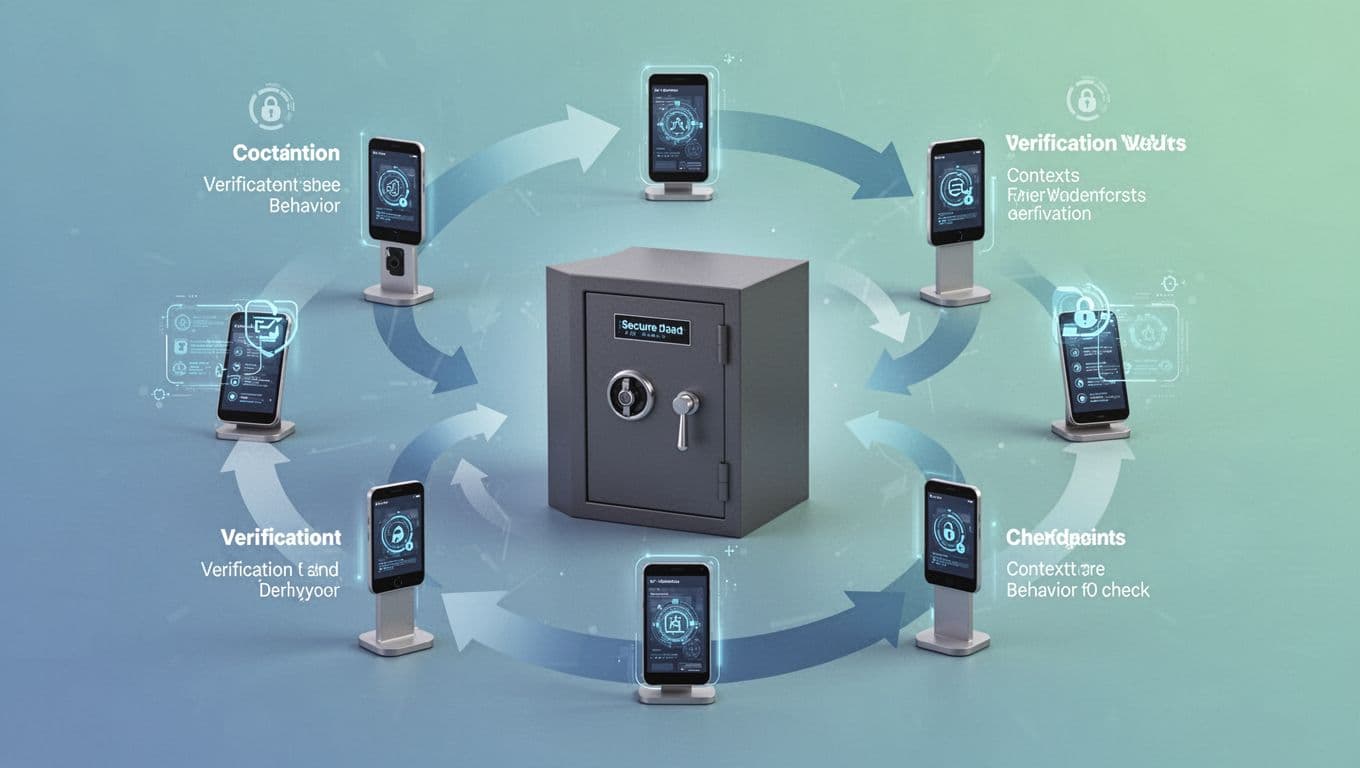
That leads to three practical rules:
- Least privilege limits access to only what a user or system needs right now.
- Continuous checks keep evaluating identity, device state, and behavior after login.
- No automatic trust means being inside the network does not equal broad access.
This approach lowers breach risk because attackers have fewer easy paths. If one account gets compromised, tight permissions and repeated checks can contain the damage. It also helps with audits and policy enforcement, since companies can show who had access, why they had it, and whether that access was reviewed. For teams handling HIPAA, GDPR, or similar requirements, that proof matters.
As ManageEngine’s Zero Trust overview notes, IAM gives Zero Trust the identity layer it needs to enforce access decisions in a practical way. That’s one reason identity and access management jobs increasingly overlap with compliance work, cloud security, and threat response.
Which IAM vendors lead the market in 2026
The IAM market in 2026 is easier to read if you group vendors by the problems they solve. Some platforms are best for workforce access across cloud apps. Others shine when audits, access reviews, and policy controls drive the buying decision. A third group focuses on privileged access, federation, and hard-to-manage environments with both old and new systems.
That is why comparing identity and access management IAM tools by market share alone can mislead you. The better question is simple: which vendor fits your environment, your risk level, and your team size? For an identity and access management analyst, that difference matters every day, because the right tool can cut manual review work while the wrong one creates policy clutter.
Okta and Microsoft Entra ID for broad cloud and hybrid access
Okta stays near the top because it works well in SaaS-heavy companies that want one identity layer across many vendors. If your stack includes Slack, Salesforce, Zoom, Workday, AWS, GitHub, and dozens more, Okta often feels like the fastest path to order. Its large app integration catalog, strong SSO, adaptive MFA, and passwordless options help reduce login friction without giving up control. In practice, many teams choose Okta when they want a vendor-neutral hub instead of a platform tied to one ecosystem. A current Okta vs Microsoft Entra ID comparison highlights that same split.
Microsoft Entra ID is the default front-runner for organizations already invested in Microsoft 365 and Azure. It connects tightly with Windows devices, Intune, endpoint health signals, and conditional access policies. That makes a big difference in hybrid setups, where users move between on-prem systems and cloud apps all day. If device trust, tenant-wide policy control, and Microsoft licensing value matter most, Entra ID is hard to ignore. You see that fit clearly in companies that treat identity and access management in cloud computing as part of a broader Microsoft security stack.
A quick side-by-side view helps:
| Vendor | Best fit | Strongest advantage |
|---|---|---|
| Okta | SaaS-first, mixed-vendor environments | Broad app integrations, neutral identity layer, strong user access flows |
| Microsoft Entra ID | Microsoft 365, Azure, and hybrid IT | Conditional access, device trust, Windows alignment, hybrid control |
The takeaway is practical. Okta usually wins when app diversity is the main challenge. Entra ID usually wins when Microsoft is already the center of gravity.
SailPoint, Saviynt, and One Identity for governance-heavy environments
When compliance drives the project, the shortlist changes. SailPoint, Saviynt, and One Identity are often picked by large enterprises that need stronger identity governance and administration, not just login controls. These buyers care about who has access, why they have it, whether it breaks policy, and how fast they can prove all of that to an auditor.
SailPoint remains a major name because it is built for access certifications, lifecycle governance, policy enforcement, and complex approval flows. Large banks, healthcare groups, public-sector teams, and global firms often need those workflows because loose access reviews become expensive very quickly. A manager needs to approve the right access, an app owner needs to verify it, and the security team needs a record of every step. SailPoint fits that world well, and its recent IGA customer recognition shows how much weight buyers still place on governance maturity.
Saviynt competes hard in the same space, especially where cloud governance and identity security need to meet in one platform. It is often part of the conversation when teams want strong segregation of duties controls, detailed entitlement visibility, and more unified handling of workforce, cloud, and machine identities. In regulated industries, that mix matters because access risk is rarely limited to employee logins. The platform’s 2026 IGA recognition also reflects how often it appears in enterprise evaluations.
One Identity usually enters the picture when organizations want governance depth but also need to support broad enterprise directories, legacy systems, and long-standing identity processes. It may not get as much attention in identity and access management news, but it remains relevant in large environments with detailed access review workflows and many connected systems.
These platforms often rise to the top when a company has all four of these needs:
- Large user populations across many business units.
- Formal access certifications on a fixed schedule.
- Segregation of duties controls for finance, ERP, or high-risk apps.
- Audit-ready records for regulated industries.
That is also where identity and access management managed services become common. Governance projects can be heavy, and outside help often keeps reviews, role models, and certification campaigns on track. If your team works on an identity and access management cms, or any business platform with sensitive publishing and admin roles, governance tools also help keep elevated access from spreading too far.
Access governance platforms matter most when login is only the start of the control story.
CyberArk, Delinea, and Ping Identity for privileged and complex access needs
Some environments do not have a broad workforce access problem first. They have a privileged access problem. That is where CyberArk and Delinea tend to lead, while Ping Identity stays strong in federation and complex access architecture.
CyberArk is still one of the clearest leaders in PAM. It is a top choice when you need credential vaulting, privileged session monitoring, strong controls for admins, and just-in-time access for sensitive systems. In plain terms, CyberArk helps reduce the number of always-on admin accounts, which lowers the blast radius if credentials are stolen. That makes it especially useful in large enterprises, critical infrastructure, and environments with a lot of server, database, and cloud admin access. This 2026 PAM comparison gives a good snapshot of where CyberArk and Delinea differ.
Delinea is also strong in PAM, but many teams like it for a more approachable path into privileged access controls. It fits organizations that want vaulting, least-privilege enforcement, and cloud entitlement visibility without the same operational weight as the largest PAM programs. In mixed environments, that balance can be appealing, especially when the goal is to improve control fast and expand over time.
Ping Identity solves a different problem. It is a strong fit for federation, B2B identity, customer identity, API security, and mixed environments where modern apps sit beside older enterprise systems. If your company needs SAML, OIDC, complex trust relationships, partner access, and flexible deployment models, Ping often makes the shortlist. That is one reason Gartner has kept it in the leadership discussion for access management.
In practice, these vendors line up like this:
- CyberArk for mature PAM programs and high-risk privileged accounts.
- Delinea for PAM and cloud entitlement control with a lighter operational feel.
- Ping Identity for federation, API security, and complex hybrid access patterns.
This category also shapes hiring. Many identity and access management jobs now ask for PAM or federation experience, and plenty of identity and access management jobs remote mention CyberArk, Ping, or privileged access review work by name.
Emerging tools for faster setup and leaner teams
Not every buyer needs an enterprise suite with months of planning. Some teams want faster rollout, fewer moving parts, and a product that fits a lean IT shop or a SaaS builder. That is where newer or lighter-weight options keep gaining ground.
JumpCloud is often attractive to small and mid-sized organizations that want cloud directory services, device management, and user access in one place. It can be a practical choice when the team is small, the app stack is cloud-first, and there is no appetite for a large IAM rollout. WorkOS fits a different audience. It is aimed more at software companies that need enterprise features inside their own product, such as SSO, SCIM, directory sync, and auth support for B2B customers. Its own guide to IAM providers for SaaS apps reflects that use case clearly.
Risotto is still more niche, and the market signal around it is lighter than for the larger names above. Still, tools in that category get attention because buyers want simpler workflows and faster time to value. That matters when your team is small, your backlog is full, and your IAM project cannot become a year-long migration.
The broader trend is clear. Some identity and access management vendors win by depth, while others win by reducing setup pain. If you are choosing between them, focus less on who appears in the most headlines and more on how much operational work your team can really absorb.
How to choose the right IAM tool for your business
Choosing among today’s identity and access management IAM tools gets messy fast because feature lists often look the same. The better path is simpler. Start with your setup, map your real access problems, and then judge tools by how much work they remove, not how many boxes they check.
That matters even more in 2026, because identity risk now stretches across employees, contractors, bots, customers, and high-risk admin roles. If you follow identity and access management news, you’ve likely seen the same pattern: buyers get the best results when they match the tool to daily operations, not vendor marketing.
Start with your environment, users, and risk level
Your environment should shape the shortlist first. A 100-person SaaS company with 40 cloud apps has very different needs than a manufacturer with old on-prem systems, a VPN, and a few new cloud services. Company size matters, but access sprawl matters more.

Start with a plain inventory:
- How many users do you manage today?
- How many apps need SSO or provisioning?
- Do you run mostly cloud, mostly on-prem, or a hybrid mix?
- Do partners, vendors, or contractors need access?
- Do customers log in to a portal or storefront?
- Which accounts can cause the most damage if misused?
Those answers quickly narrow the field. For example, identity and access management in cloud computing often puts more weight on SSO breadth, API support, conditional access, and fast app onboarding. A mostly on-prem setup may care more about directory sync, legacy protocols, and hybrid identity bridges.
Partner and customer access can also change the buying decision. If outside users need secure login, federation and customer identity features matter more than they would in an employee-only setup. The same goes for identity and access management cms needs. If your team runs WordPress, Drupal, Joomla, Magento, or Shopify, you need clean support for SAML, OAuth, or OpenID Connect, not a vague promise that “it integrates.”
High-risk admin accounts deserve special attention. A tool that works fine for standard workforce login may still fall short for domain admins, cloud admins, and database owners. That’s why many teams split needs into two buckets: broad workforce access and tightly controlled privileged access. An identity and access management analyst often spends more time on those risky edge cases than on everyday user logins.
The best IAM choice usually starts with your riskiest accounts, your hardest integrations, and your messiest user groups.
If you want a vendor-neutral checklist, this IAM buyer’s guide from CIOPages is useful for framing the evaluation.
Match features to your real use cases, not vendor hype
Once your environment is clear, tie features to specific jobs. SSO sounds great, but it only helps if it covers the apps people actually use. MFA matters, but the method matters too. Push prompts, phishing-resistant keys, passkeys, and step-up checks do not offer the same protection.
A practical scorecard should cover the basics:
| Capability | What to check | Why it matters |
|---|---|---|
| SSO | Depth of app catalog, custom app support, federation options | Reduces login friction and centralizes control |
| MFA and passwordless | Passkeys, security keys, adaptive policies, recovery flow | Lowers phishing risk without locking users out |
| Lifecycle automation | HR-driven onboarding, role changes, offboarding, SCIM support | Cuts manual work and removes stale access faster |
| Governance | Access reviews, approvals, role modeling, SoD controls | Helps with audits and keeps access clean |
| PAM | Vaulting, session controls, just-in-time admin access | Protects high-risk accounts |
| Reporting | Audit logs, export options, alerting, reviewer visibility | Makes compliance and investigations easier |
| Integrations | Directory, cloud, on-prem, API, CMS, and custom app support | Determines how much glue work your team must do |
This is where some buyers get distracted by broad platform claims. A vendor may look strong on paper but create friction in the exact places you care about. If your team runs Shopify for sales, WordPress for marketing, and a custom portal for partners, integration depth matters more than a long list of generic features. Briefly test your real workflows, especially around SAML, OAuth, and OpenID Connect.
Current guidance also points in the same direction. Cybersecurity Dive’s selection factors highlights fit, integration, and operational value over raw feature volume. That tracks with what shows up in identity and access management jobs too, because hiring managers increasingly want people who can make platforms work in messy environments, not just name products from memory.
Look closely at rollout time, support, and total cost
A great tool that takes nine months to deploy can still be the wrong choice. Setup speed matters because IAM projects touch login habits, help desk workflows, app owners, and security policy all at once. If rollout drags, people work around it.

Ask vendors for a realistic first-90-days plan. You want to know how long core setup takes, who handles integrations, how many admin hours the system needs each week, and what breaks when policies change. Some products are easy to buy and hard to run. Others take more planning up front but create less cleanup later.
Support quality has a direct effect on value. During rollout, your team may need help with federation errors, provisioning failures, policy tuning, and end-user adoption. Slow support can stall the project and flood the help desk. For smaller teams, that pressure is one reason identity and access management managed services stay in demand. They can help with design, rollout, ongoing tuning, and governance when internal staff is thin or still building skills.
Pricing also needs a hard look. License cost is only one line item. Add implementation work, premium connectors, MFA methods, training, logging, professional services, and the labor needed to run the platform well. Some tools look cheaper until you price the people needed to maintain them. Others cost more up front but save time every week.
That tradeoff matters for lean IT teams and for people building a career in this field. Many identity and access management jobs remote and on-site roles now expect hands-on experience with rollout planning, access reviews, and vendor operations, not just policy writing. A strong buying process teaches the same skills an identity and access management analyst uses every day.
For a practical market view, this 2026 IAM buying guide for growing teams is a helpful reference, especially if you’re comparing time-to-value across identity and access management vendors.
Best practices for identity and access management in cloud computing
Strong identity and access management in cloud computing is less about buying more controls and more about using the right ones consistently. Cloud access changes fast, roles shift, apps pile up, and old permissions stick around longer than they should. That is why the best identity and access management IAM tools help teams tighten access, verify sign-ins, and track non-human identities with less manual cleanup.
This also affects daily work. An identity and access management analyst is often reviewing access drift, tuning sign-in rules, and answering audit questions, not just setting up logins. If you follow identity and access management news, that shift is clear in 2026.
Use least privilege and review access often
Least privilege means each user gets only the access needed to do today’s job, nothing extra. In cloud environments, that matters because one broad role can unlock storage, admin tools, and sensitive data far beyond what a person actually needs.

Over time, access tends to grow. Someone joins one team, helps another project, gets temporary admin rights, and then keeps all of it. That slow buildup creates risk, but it also makes security operations messy. Reviews fix that by forcing a simple check: does this person still need this access?
A useful access review usually looks at:
- high-risk roles, such as cloud admins and finance access
- stale accounts, especially former staff and contractors
- unused permissions that were granted “just in case”
- shared or unclear ownership for privileged roles
Cloud platforms now make this easier. For example, Google Cloud IAM security guidance recommends avoiding broad basic roles and using narrower permissions wherever possible. That lines up with what mature teams already do in production.
Regular reviews also make audits less painful. Instead of scrambling to explain why an employee still has access from an old role, you already have a clean record. That matters for internal audits, customer reviews, and regulated environments. It’s one reason identity and access management managed services often include recurring certification campaigns and cleanup work.
If your team manages an identity and access management cms setup, least privilege matters there too. Editors, publishers, developers, and admins should not all share the same power. Clean role design keeps content moving without handing everyone full control.
Access reviews are not paperwork. They are one of the fastest ways to cut real risk and reduce audit friction.
Strengthen sign-ins with MFA and passwordless options
Passwords still fail too often, especially in cloud-heavy organizations where users sign in from many devices and locations. So, stronger sign-ins should be the default, not the upgrade.

The strongest approach in 2026 combines MFA with phishing-resistant methods. That includes:
- Passkeys, which replace passwords with device-based credentials
- Biometrics, such as fingerprint or face unlock, usually tied to a trusted device
- Security keys, which are strong for admins and other high-risk users
- Adaptive MFA, which asks for more proof only when risk rises
Adaptive MFA is especially useful in cloud IAM because it adds friction only when needed. A normal login from a managed laptop may pass with little effort. A risky login from a new device or odd location can trigger a stronger check. That balance helps security teams protect accounts without frustrating users.
Current guidance is moving in the same direction. NIST’s 2026 guidance raises the bar for strong MFA on sensitive access and favors phishing-resistant methods over weaker options like SMS. Microsoft also recommends phishing-resistant passwordless deployment and supports passkeys in Entra ID for stronger sign-ins.
Compliance pressure is rising too. While programs differ, expectations are getting stricter for admin access, remote access, and access to sensitive data. That is why many identity and access management vendors now push passkeys and hardware-backed login methods much harder than they did a few years ago.
This shift also shows up in hiring. Many identity and access management jobs now ask for hands-on experience with MFA policy design, conditional access, and passwordless rollout. The same is true for many identity and access management jobs remote, where secure sign-in policy is often part of the core role.
Do not forget service accounts, bots, and AI agents
People are only part of the identity picture now. Cloud apps, scripts, deployment pipelines, chatbots, and AI agents all need access too. These are often called machine identities, and they can be just as risky as user accounts.
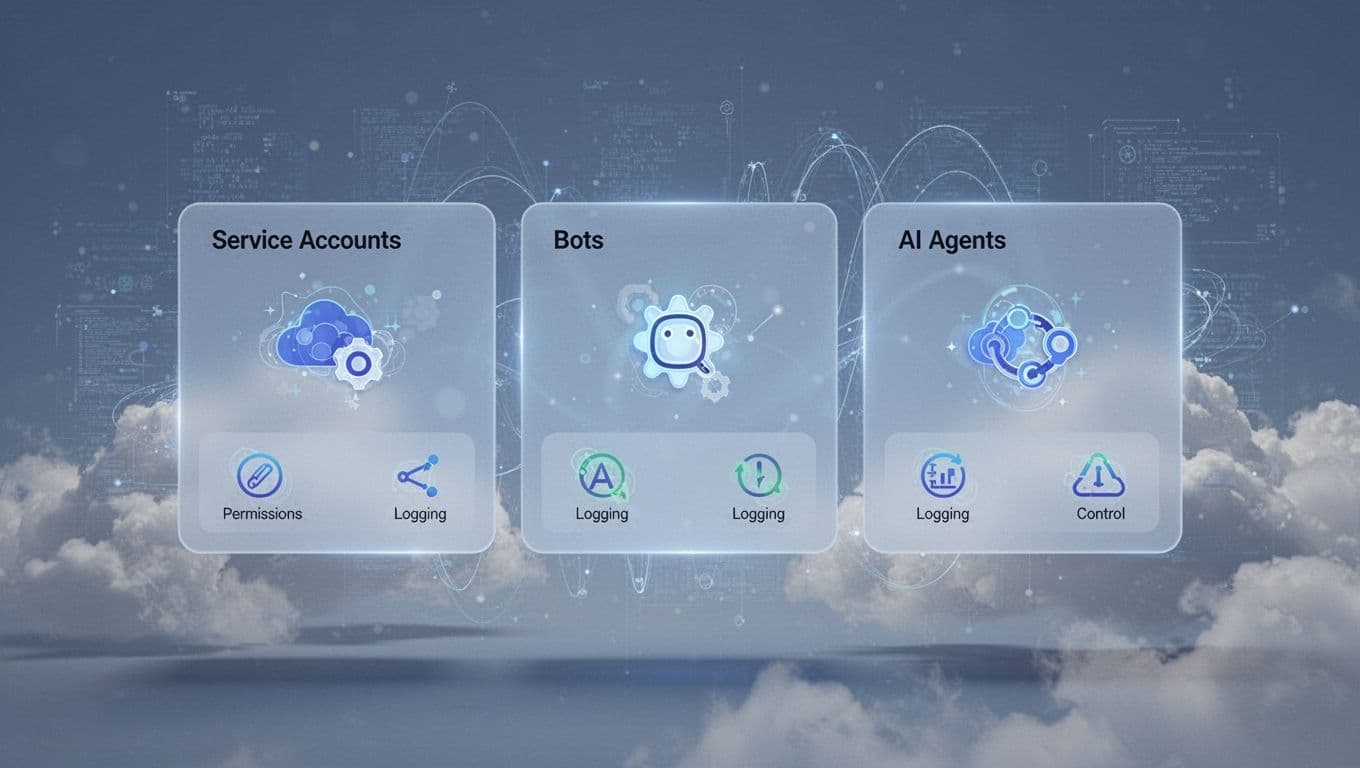
A service account might move data between apps. A bot might trigger workflows in Slack or a ticketing system. An AI agent might read files, call APIs, or take actions across cloud tools. If those identities have broad permissions and weak oversight, they become easy paths for abuse.
The fix is simple in principle, even if the work takes time:
- Give every machine identity a clear owner.
- Limit permissions to one narrow purpose.
- Rotate secrets and keys on a set schedule.
- Log every action and watch for unusual use.
- Remove unused accounts quickly.
This area gets missed because non-human access often grows in the background. Developers create service accounts for speed. Teams add automation and never revisit it. Then six months later, nobody remembers what the account does, but it still has powerful access.
That is why logging matters so much. If a bot suddenly requests new resources, or an AI agent starts reaching data it never used before, your IAM and monitoring tools should flag it. Google’s guidance for managing access for deployed agents shows how cloud platforms are starting to treat AI agents as identities that need explicit permissions, not informal exceptions.
Coverage in identity and access management news now reflects this change. Machine identity governance is no longer a side topic. It is a core part of cloud security. For teams comparing identity and access management vendors, support for service accounts, bots, and AI agents is now part of the shortlist, especially in cloud-first companies.
Career paths, managed services, and where IAM is headed next
Buying the right platform is only part of the story. Teams also need people who can run it well, or a partner who can help when the work outgrows the staff. That is why this part of the IAM market now touches hiring, operations, and long-term planning at the same time.
In practice, the best identity and access management IAM tools create demand on both sides. Companies need analysts and engineers who understand policy, cloud access, and audits. At the same time, many organizations turn to identity and access management managed services when they need faster setup or steady day-to-day coverage.
Why demand is growing for IAM analysts and engineers
Demand keeps rising because identity now sits in the middle of security, compliance, and daily operations. Every new SaaS app, contractor account, cloud role, and AI agent adds more access decisions. As a result, an identity and access management analyst is no longer a niche hire. For many companies, it is now a core security role.
You can see that in current identity and access management jobs across the US, including a growing number of identity and access management jobs remote. Listings often ask for hands-on work with SAML, OAuth, MFA, Entra ID, lifecycle automation, and cloud access controls. In companies focused on identity and access management in cloud computing, those skills matter because access mistakes spread fast across apps and cloud accounts.
A simple career split helps:
- Analysts usually focus on access reviews, provisioning, role cleanup, audit support, and policy enforcement.
- Engineers usually build integrations, tune SSO and MFA, automate onboarding, and support federation or privileged access.
Salary is one reason the field keeps attracting interest. In the US in 2026, IAM analysts average about $71,000 to $79,000, while IAM engineers average about $107,000 to $115,000. That gap makes sense. Engineers often own the harder technical work, while analysts handle the controls that keep daily access clean and defensible.
The hiring volume is also easy to spot on LinkedIn IAM job listings, and remote openings continue to show up in specialized boards such as this remote IAM engineer posting. If you’re building toward one of these roles, the shortest path is still practical experience with real policies, real integrations, and real cleanup work.
When identity and access management managed services make sense
Not every business needs a full internal IAM team. Many do need the work done well, though, and done on time. That is where identity and access management managed services make sense.
Outside help is often a smart move when a company is in one of these situations:
- A small IT or security team can’t support setup, policy tuning, and daily operations.
- A fast-growing company needs IAM expertise now, but isn’t ready to hire a full staff.
- Compliance work keeps piling up, including reviews, audit logs, and access certifications.
- The environment is messy, with hybrid systems, many SaaS apps, or several cloud accounts.
- A project needs specialized skills from top identity and access management vendors, but no one in-house has that experience yet.
Managed providers can help at several stages. Early on, they often handle architecture, SSO and MFA rollout, directory integration, and migration planning. After that, they may take over monitoring, user lifecycle work, access reviews, incident response support, and policy maintenance. That is especially useful when a team also has to support an identity and access management cms, customer portals, or partner access.
For many businesses, the value is simple. You get deeper expertise without waiting months to fill open roles. You also avoid building a full internal IAM function before you know how large it needs to be. A solid overview from Intragen on IAM managed services explains why ongoing support matters after deployment, and IDMWORKS’ managed identity benefits shows why this model appeals to lean teams.
The handoff still matters, of course. A provider should document policies, name owners, and leave your team with clear reporting. Otherwise, you trade one blind spot for another.
What identity and access management news is telling us about the future
Recent identity and access management news points in one direction. IAM is getting broader, stricter, and more tied to security operations. Passwords are losing ground, but the future is not just about easier sign-ins.
The biggest 2026 signals are clear:
- Passwordless keeps growing, especially with passkeys, FIDO2 keys, and stronger phishing-resistant login.
- AI is moving into identity security, where platforms score risk, flag odd behavior, and help spot misuse faster.
- Compliance pressure is rising, so logging, access reviews, and policy proof are becoming standard, not optional.
- Identity resilience is getting more attention, which means teams want IAM systems that keep working during attacks, outages, and recovery events.
There is another shift worth watching. Machine identities, service accounts, and AI agents now outnumber people in many environments. That changes the job for both buyers and practitioners. The next wave of identity and access management vendors will need stronger controls for non-human access, not just employee login.
Current reporting backs that up. IT Brief’s report on machine accounts outnumbering humans captures the scale of that change, while Biometric Update’s passwordless adoption coverage shows that many teams still have execution gaps to close.
That leaves a practical takeaway for the next few years. The organizations that do best will treat IAM as an operating function, not a one-time project. They will need better tools, better processes, and people who can keep access under control as the environment keeps changing.
Conclusion
The best identity and access management IAM tools are the ones that match your company as it is right now, and where it’s headed next. That means choosing for size, risk, cloud setup, and compliance needs, whether you’re comparing identity and access management vendors, planning identity and access management in cloud computing, or locking down an identity and access management cms.
Strong basics still matter most, because SSO, MFA, clean provisioning, access reviews, and tighter control over privileged and machine accounts do the heavy lifting. At the same time, identity and access management news, identity and access management managed services, and the daily work of an identity and access management analyst all point to the same lesson: practical fit beats feature sprawl, and the right platform should leave room to grow.
That is also why identity and access management jobs and identity and access management jobs remote keep growing across security and IT. IAM is no longer optional, because it is the front door to modern security.