
The old access model was simple. A user logged in once, got trusted, and moved around with few checks after that.
That model breaks down in 2026. Your people work from home, apps live in the cloud, contractors need short-term access, and APIs, bots, and AI agents now touch sensitive systems every day. One stolen password or unmanaged service account can open the wrong door.
Zero trust identity and access management replaces one-time trust with ongoing checks. That doesn’t mean blocking everyone. It means checking the right signals, at the right time, before access is granted.
What zero trust identity and access management really means
Zero trust identity and access management puts identity at the center of security. In plain English, the network no longer gets the final say. Access decisions now depend on who or what is asking, what device it’s using, what it wants to reach, and whether the request still looks safe.
That shift matches the way NIST describes zero trust in its zero trust architecture guidance. Trust is never automatic because a request came from the office, a VPN, or an internal app. Every request gets checked against policy.

The core principles behind the model
A few ideas drive the whole model. First, “never trust, always verify” means a login is a checkpoint, not a lifetime pass. Second, least privilege means people and systems get only the access they need. A finance user shouldn’t browse engineering tools, and a script shouldn’t have admin rights if read-only access is enough.
Third, assume breach. Security teams act as if an attacker could already be inside. Therefore, they limit movement, shorten sessions, and watch for strange behavior. Fourth, context-aware access uses signals like device health, location, time, and user risk. A managed laptop on a normal schedule may pass quickly. The same account from an unknown device at 3 a.m. may need stronger proof or get blocked.
In zero trust, the question is never “Are you inside?” It is “Should you have this access right now?”
How it’s different from traditional IAM
Traditional IAM often focused on login, passwords, and broad role assignments. Zero trust keeps IAM, but makes it continuous, shorter-lived, and risk-aware. Passwords alone no longer carry enough weight, especially as phishing, token theft, and session hijacking keep showing up in breach reports.
This quick comparison helps frame the change:
| Traditional IAM | Zero trust IAM |
|---|---|
| Trust often rises after login | Trust is checked throughout the session |
| Network location matters a lot | Context matters more than location |
| Privileges tend to stick around | Access can be temporary or just-in-time |
| One factor may be enough | Strong, phishing-resistant sign-in is preferred |
For a plain-language side-by-side view, this comparison of zero trust and traditional security captures why the old perimeter model no longer fits hybrid work and cloud access.
The building blocks of a strong zero trust access program
Zero trust works when several controls support each other. No single tool fixes weak identity hygiene.
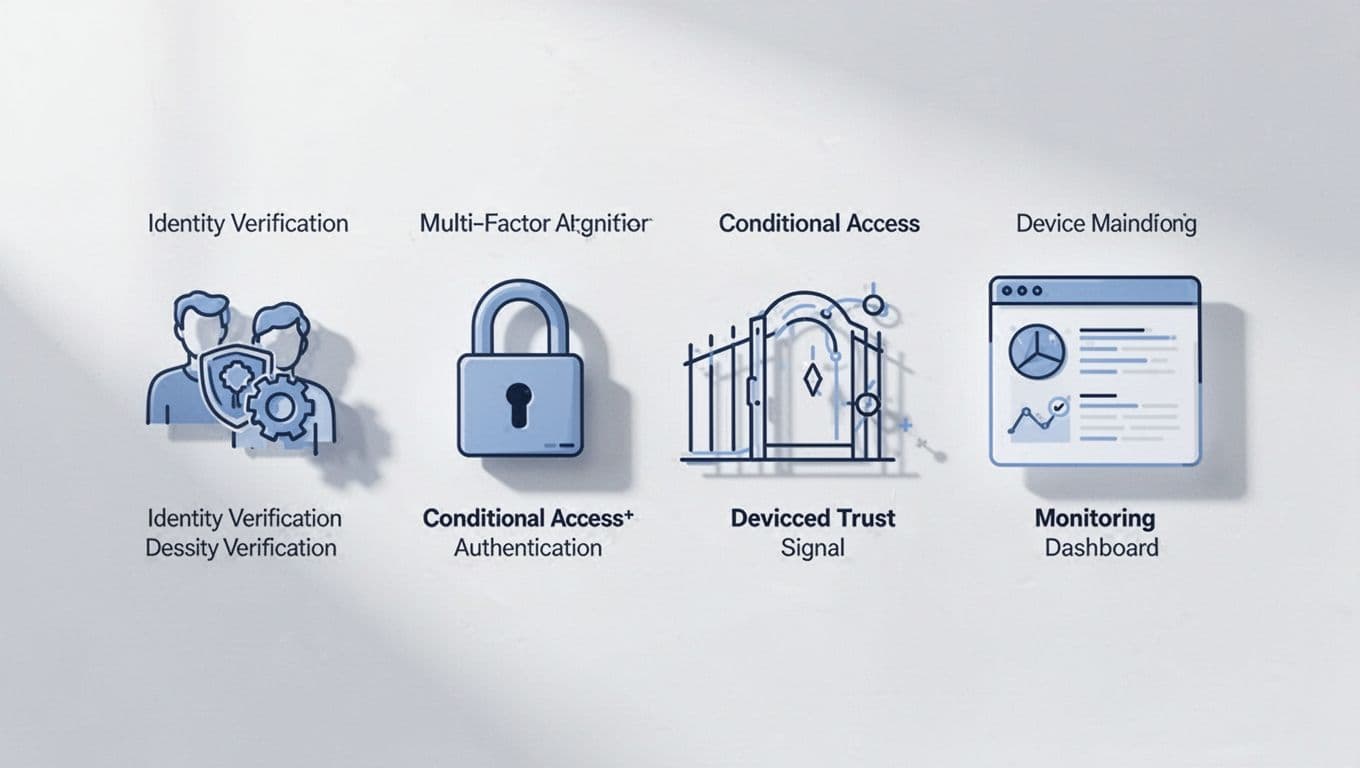
Identity proofing, SSO, and MFA as the starting point
Everything starts with knowing the user is real and the account belongs to the right person. Identity proofing matters at hiring, onboarding, and contractor setup. If that first step is weak, every later control rests on bad data.
Single sign-on helps because it brings apps under one policy layer. Security teams get cleaner visibility, and users stop juggling dozens of passwords. Then MFA raises the bar, especially with passkeys, security keys, or biometrics. In 2026, many US organizations are moving toward phishing-resistant sign-in because passwords keep failing in the real world. Microsoft’s zero trust IAM best practices give a practical view of how these controls work together.
Conditional access, device trust, and continuous monitoring
After login, the system still needs to decide whether access should continue. Conditional access checks the full picture. Is the device managed and patched? Is the location expected? Is the request unusual for that user? Has the risk score changed?
Because of that, access can step up or step down in real time. A user may open email from a company laptop without extra prompts, but face a stronger challenge before viewing payroll data from a personal tablet. Logging matters here too. Good monitoring creates audit trails, supports threat hunting, and helps teams spot risky sign-ins before they turn into a breach.
Service accounts, workloads, bots, and AI agents need controls too
Human users are only part of the story now. Apps call APIs, containers spin up and down, bots run tasks, and AI agents may connect to business systems on a schedule. Each one has an identity, even if nobody sees it on an org chart.
That is why short-lived credentials matter. So do certificate-based trust, secret rotation, owner assignment, and policies that limit what machine identities can do. A bot that updates CRM records shouldn’t also read legal files. An AI agent that summarizes support tickets shouldn’t keep a permanent token with broad admin rights.
This area often gets missed, yet it’s becoming one of the biggest zero trust gaps. A useful overview of that risk is in this piece on zero trust for machines.
The business benefits, and the real challenges to expect
The best reason to adopt zero trust IAM is simple. It reduces how much damage an attacker can do after getting in. If access is narrow, temporary, and watched closely, the blast radius gets smaller.
Where zero trust IAM helps most
That shows up in several ways. Privileged accounts get tighter control, which lowers risk around admins and cloud consoles. Compliance teams also get cleaner records because access decisions, reviews, and sign-in events live in one place. When policies are well designed, users may even get a smoother experience because SSO cuts password clutter and risk-based checks reduce unnecessary prompts.
Zero trust also fits the way modern companies operate. Hybrid work, SaaS sprawl, vendor access, and cloud workloads all depend on identity more than office networks.
What can slow adoption down
Still, the hard parts are real. Legacy apps may not support modern auth. Identity data is often messy, with duplicate accounts, missing owners, and old groups nobody understands. Over time, privileges pile up because access gets added faster than it gets removed.
Policy sprawl can create trouble too. If every exception becomes a new rule, teams lose track of what they built. Users may push back when prompts increase or workflows change. Recent 2026 breach reporting has kept the pressure high, especially where stolen credentials, weak MFA, and social engineering opened the door. Success depends less on buying one more product and more on governance, cleanup, and phased rollout.
A practical step-by-step plan to roll it out
Most teams shouldn’t try to rebuild access from scratch. Start where the risk is highest and the path is clear.

Start by finding your identities, access paths, and high-risk systems
First, build an inventory. Include employees, vendors, admins, apps, devices, service accounts, API keys, and machine identities. Then map what they can reach. Many teams discover old accounts, hidden privilege chains, or forgotten SaaS tools in this step alone.
Focus early on critical data, admin roles, internet-facing apps, and remote access paths. If a breach hits those areas, the impact is usually much worse.
Set policies that grant less access, for less time
Next, reduce standing access. Use clear roles, remove stale accounts, and review group memberships. Then move high-risk access toward just-in-time approval where possible. Temporary access is safer because it expires on its own.
Periodic access reviews matter here. Managers and app owners should confirm that users still need what they have. If nobody owns an account or a service credential, fix that quickly. Unowned access is a risk signal.
Measure results and improve over time
You need a scorecard, or the program turns into guesswork. Track a few simple measures first:
- MFA or passkey coverage for admin and high-risk accounts
- Percentage of apps behind SSO
- Number of stale accounts removed
- Privileged access review completion rates
- Risky sign-ins blocked or stepped up
These metrics show whether control is getting tighter without guessing. Over time, refine policies, cut noisy alerts, and extend coverage to more apps and machine identities. Zero trust identity and access management works best as an ongoing program, not a one-time install.
Zero trust started as a response to one bad habit, trusting people too much after a single login. That habit no longer fits how access works.
The stronger path is more practical. Build visibility into identities, use strong authentication, reduce standing privilege, and keep checking context as sessions change. Zero trust identity and access management rewards steady progress, and most organizations can make real gains without changing everything at once.