
Most teams don’t know their software picture as well as they think they do. A few apps sit unused, a few licenses are missing, and a few devices run old versions that nobody noticed.
A computer software inventory tool fixes that blind spot. It shows what software is installed, who is using it, which licenses you own, and which devices need attention. That means less waste, fewer security surprises, and a much easier time when audit season shows up.
If your current process lives in spreadsheets, email threads, and memory, the gap will keep growing. A good tool closes it fast.
What a computer software inventory tool actually does
A computer software inventory tool is a system that tracks software across company devices. In plain terms, it gives IT one place to see installed apps, versions, license records, usage data, and often the computers tied to each program.
That sounds simple, but the difference between a spreadsheet and an automated tool is huge. A spreadsheet only knows what someone typed into it. An automated tool can discover devices, scan software, update records, and flag changes without someone chasing people for answers. The result is real-time visibility and far fewer manual mistakes.
The core jobs it handles every day
At its best, the tool works in the background. It discovers devices on the network, identifies installed software, checks version numbers, and records who or what machine owns each license. Many platforms also track software usage, so you can spot apps nobody opens anymore.
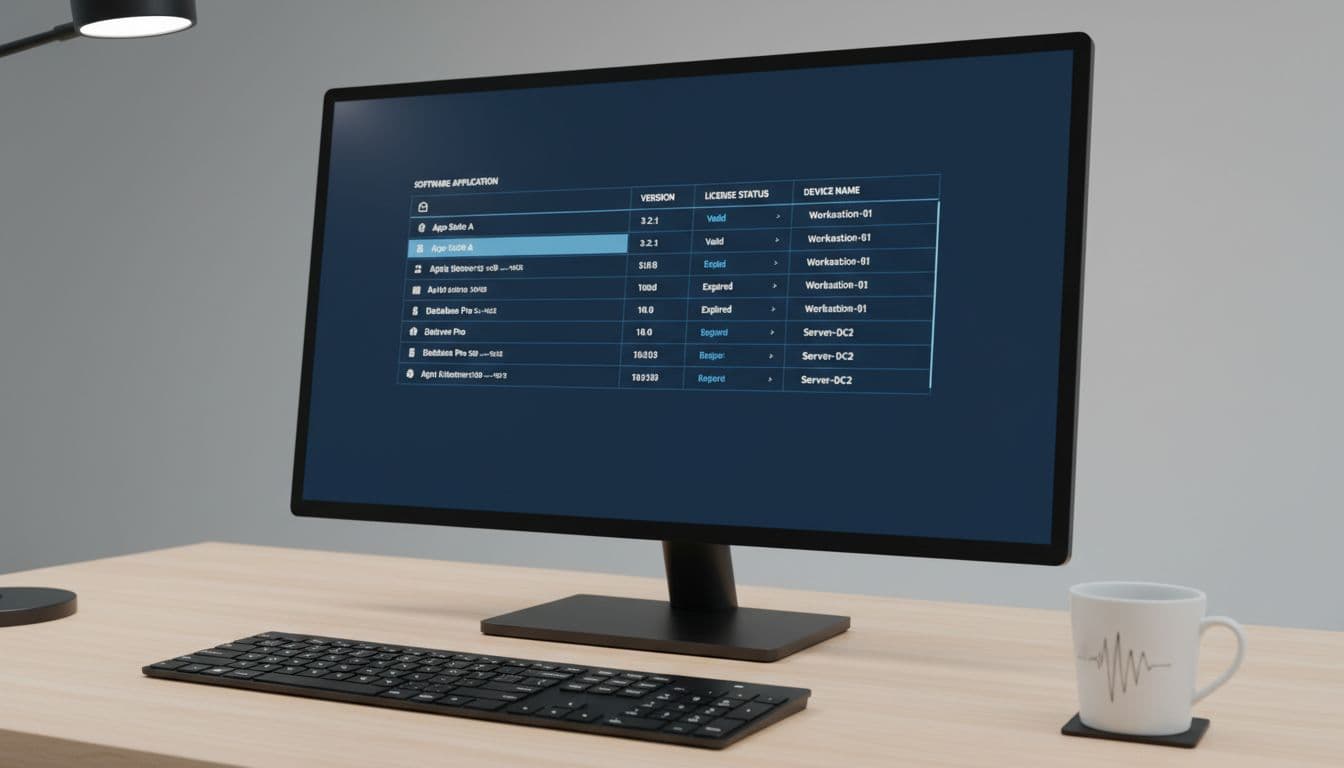
Good tools also produce reports without much setup. You can pull a list of expired licenses, old software versions, or machines that missed updates. Alerts help too. If a new app appears on a laptop or a license is about to expire, the system can notify the right person before the issue grows.
Some teams also want the tool to connect with hardware records, help desk tickets, contracts, and cloud services. In 2026, that all-in-one view is common in stronger platforms, especially for hybrid companies.
Why manual tracking stops working fast
Manual tracking breaks down because software changes every day. People install tools, remote workers miss office scans, and cloud apps come and go with little notice. A neat spreadsheet can turn stale within a week.
If software inventory depends on staff updating a sheet by hand, the data starts drifting almost at once.
That problem gets worse as teams grow. Ten devices might still be manageable. One hundred devices, spread across office, home, and field work, create too many moving parts. A recent roundup of computer inventory tools highlights the same shift, especially for companies dealing with remote and mixed-device setups.
Audits are where weak tracking hurts most. If you can’t prove what is installed and what is licensed, every answer takes longer. An automated tool keeps records current, so IT spends less time chasing facts and more time fixing problems.
The biggest benefits for IT teams and growing businesses
Features matter, but outcomes matter more. The right software inventory system helps teams spend less, reduce risk, and make faster calls with better data.
That matters to small businesses as much as larger IT departments. Even a lean team can lose money through duplicate purchases, forgotten subscriptions, and devices running outdated software for months.
Cut software waste and avoid paying for licenses you do not use
Unused licenses pile up quietly. One team buys seats for a project, another renews the same tool by habit, and nobody checks whether people still use it. Over time, software spend turns into a slow leak.
A computer software inventory tool shows where that leak is. Usage data can reveal which apps sit idle. License records can show when you own more seats than you need. Purchase history can also expose duplicate buying across teams.

That visibility makes budgeting calmer. Instead of guessing next year’s needs, IT can right-size renewals based on actual use. The savings may not look dramatic in one month, but over a year they add up, especially across expensive developer, design, and security tools.
Improve security by finding outdated or unauthorized software
Old software is a risk because old versions often miss patches. Unknown software is a risk because IT can’t review or support what it can’t see. That includes shadow IT, personal installs, and apps added outside company policy.
Inventory data helps security teams spot those gaps early. If a browser version falls behind, the tool can flag it. If someone installs an unapproved remote access app, IT can catch it before it becomes a bigger problem. Some products also pair inventory with patching, which is why pages like SolarWinds computer inventory management software focus on both visibility and system upkeep.
Safer systems start with knowing what exists. You can’t protect software that isn’t on your radar.
Features to look for before you choose a tool
The best product isn’t the one with the longest feature list. It’s the one that fits your size, your device mix, your compliance needs, and the way your team works day to day.
A 20-person company may want fast setup and simple reports. A larger IT team may care more about contract tracking, audit trails, cloud visibility, and deeper automation.
Must-have features that make daily work easier
Auto-discovery should be near the top of your list. If the tool can’t find devices and installed apps on its own, you’ll keep doing too much by hand. Cloud and on-prem visibility also matter now, because software no longer lives only on office desktops.

Look for license tracking, lifecycle tracking, custom reports, and alerts that people can understand at a glance. Mobile access helps teams that work across sites. Integrations with a help desk or IT asset platform save time because software records connect to tickets, users, and devices in one flow.
If compliance matters, audit logs and exportable reports matter too. A helpful buyer reference is InvGate’s 2026 hardware inventory checklist, which overlaps with software inventory more than many buyers expect.
Questions to ask before you buy
Start with setup. Ask how long deployment takes and whether the vendor supports remote devices well. If half your staff works from home, that answer matters more than a flashy dashboard.
Then look at daily use. Can your team pull reports without special training? Are alerts useful, or will people ignore them after a week? Does pricing grow in a fair way as devices or users increase? A free trial is also worth asking for, because you need to see the tool with your own data.
Reporting quality often separates average tools from strong ones. If a product can collect data but not turn it into clear answers, IT still ends up doing detective work by hand.
Popular computer software inventory tool options in 2026
Across 2026 market roundups and product pages, a few names show up often: SolarWinds, InvGate Assets, Lansweeper, ManageEngine AssetExplorer, Teqtivity, Spiceworks, Asset Panda, and Snipe-IT. They all solve the same core problem, but they fit different teams.
This quick view helps match tools to common needs:
| Use case | Likely fit | Examples |
|---|---|---|
| Small teams with simple needs | Lower cost, easy setup, basic tracking | Snipe-IT, Spiceworks |
| Hybrid and remote teams | Cloud access, mobile support, device location | Teqtivity, Asset Panda |
| Mid-sized IT teams | Discovery plus ticketing or patch support | SolarWinds, InvGate Assets |
| Larger environments and audits | Deeper scans, contracts, compliance reporting | Lansweeper, ManageEngine AssetExplorer |
Best fits for small teams, hybrid work, and larger IT environments
Small teams often do well with free or open-source options if their needs stay basic. Snipe-IT is popular for that reason, and Spiceworks remains a familiar choice for discovery and alerts. The trade-off is that simpler tools may need more hands-on work later.
Hybrid companies usually want cloud-first access and better visibility outside the office. Teqtivity and Asset Panda stand out there because mobile use, device tracking, and audit support matter when hardware and software move around.
Larger IT groups need stronger automation and compliance support. Lansweeper is known for deep scanning across big environments, while ManageEngine helps teams that track licenses, contracts, and configurations together. If you want a wider market snapshot, this 2026 system inventory software comparison is a useful starting point.
The best choice depends less on brand popularity and more on where your current process hurts. Start there.
When teams don’t know what software they have, they overspend, miss risks, and dread audits. A good computer software inventory tool fixes that by giving you accurate, current visibility across devices, licenses, and versions.
Pick based on your biggest problem first, whether that’s waste, security, or reporting. Then test a short list with real devices and real users. The right tool is the one your team will trust enough to use every day.