
Missed deadlines in manufacturing rarely come from one big mistake. More often, they grow from spreadsheet chaos, supply delays, change orders, and teams working from old files.
That is why manufacturing project management software matters. In plain English, it is software that helps operations, engineering, production, quality, and supply chain teams plan work, track progress, share updates, and catch problems sooner. When it fits the factory, it cuts confusion and gives people one clear place to work from.
The hard part is choosing a tool that matches real shop-floor work, not just office tasks. That starts with what these systems actually control.
What manufacturing project management software actually helps you control
Manufacturing projects move through many hands. A new product launch touches engineering, sourcing, production, and quality. An equipment install may involve contractors, downtime windows, safety reviews, and training. A plant upgrade can pull in finance, maintenance, IT, and suppliers at the same time.
Good software keeps that moving work in one place. Teams can manage timelines, tasks, drawings, approvals, budgets, notes, and status updates without chasing long email threads. That matters for customer orders, shutdown planning, capex work, maintenance turnarounds, and cross-site programs.
The difference between general project tools and manufacturing-focused systems
General tools such as Asana, monday.com, Smartsheet, Wrike, and Workzone help teams organize tasks and deadlines well. For many small and mid-size manufacturers, that may be enough. If your work mostly needs ownership, due dates, approvals, and simple reporting, a flexible broad tool can fit.
Still, some factories need more depth. They may need links to ERP, MES, PLM, inventory, or even live shop-floor data. They may also need traceability, production-aware scheduling, quality checks, and formal stage-gate reviews. A recent roundup of manufacturing project tools for 2026 shows how wide that gap can be between basic task tracking and factory-ready workflows.
The biggest problems these tools solve on the factory floor and beyond
Most factories do not struggle because people are lazy. They struggle because information is scattered. One team has the latest drawing, another has last week’s file, and a supplier is waiting on an approval nobody owns.
Manufacturing project management software helps fix that. It reduces spreadsheet sprawl, makes ownership visible, and keeps files tied to the right job or phase. It also helps teams spot late tasks sooner, before a small slip becomes overtime, scrap, or a missed ship date.
When everyone works from one shared system, rework drops. So does the number of “I thought someone else handled it” moments.
Key features to look for before you buy
Features matter, but only when they solve real pain. The goal is not the longest feature list. It is a shorter list of tools that help your team plan, adapt, and report without extra admin work.
Planning and scheduling tools that keep production moving
The best systems make schedules easy to read and easy to change. Look for Gantt charts, task dependencies, Kanban boards, milestone tracking, and workload views. These help teams see what must happen first, what can run in parallel, and where a delay will spread next.
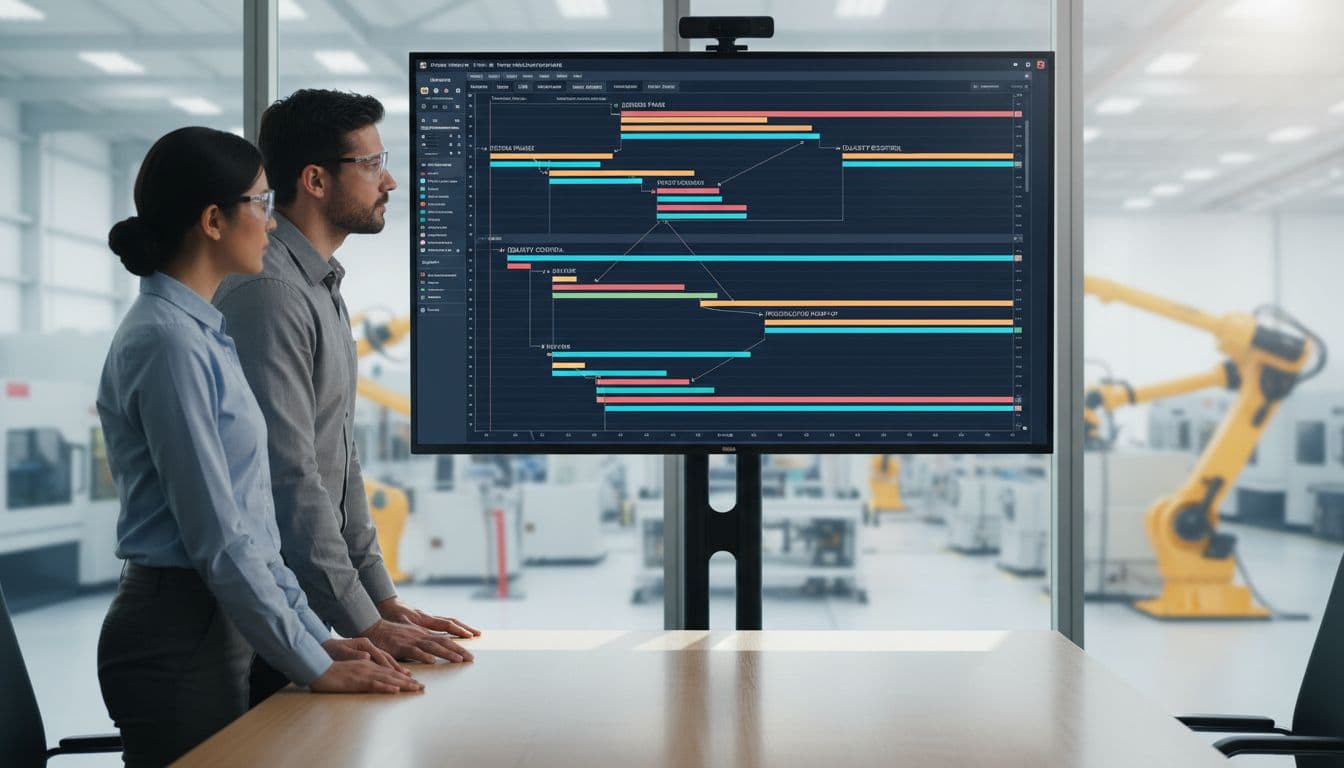
Resource planning is just as important. If two projects need the same technician, line, or machine, the software should show that conflict early. Some platforms now go further with production-aware planning and AI-based forecasting. For example, Epicflow’s manufacturing scheduling approach highlights multi-project resource control, which is a real issue in busy plants.
A good schedule should not sit untouched for a month. Factory work changes fast, so planners need a tool that helps them re-balance work in hours, not days.
Real-time dashboards, reporting, and alerts for better decisions
Yesterday’s report is often too late. If a supplier slips, a machine goes down, or a change request stalls, leaders need current data. That is where live dashboards earn their keep.
Look for dashboards that show progress, open risks, budget status, overdue tasks, and resource load. Automatic alerts also help. A project lead should know when a milestone is in danger, not after the date passes.
These views also improve conversations across teams. A plant manager, engineer, and buyer may care about different details, but they all need the same current picture. Better reporting turns status meetings from guesswork into decisions.
Integrations, document control, and quality tracking
Software works better when it does not trap data. If your team already uses ERP, MES, PLM, accounting, or inventory systems, ask how the project tool connects to them. Strong integration reduces double entry and lowers the risk of mismatch between systems.

Document control matters just as much. Teams need version history, approval trails, change request tracking, and clear access rights. Quality teams may also need inspections, defect logs, nonconformance records, and traceability tied to project milestones. Pages such as Cora’s manufacturing project software overview show how these features come together in more complex environments.
If a tool cannot keep everyone on the latest file, it will create work instead of reducing it.
The business benefits, and the common mistakes to avoid
The upside is real, but only when the system matches daily work. A poor rollout can create more clicks, more resistance, and more side spreadsheets.
What manufacturers gain when the software fits the way they work
When the fit is right, teams work with fewer blind spots. Engineers see pending approvals. Buyers see timing changes. Production sees what is at risk before materials hit the line. That leads to faster decisions and fewer surprises.
Many manufacturers also get better use from people and equipment. Clear workloads help managers shift work before bottlenecks grow. Supplier coordination improves because dates, files, and action items are easier to share. Over time, reporting gets stronger too. Leaders can spot recurring delays, weak handoffs, and hidden costs earlier.
Why some implementations fall short
Rollouts usually fail for simple reasons. The software is too complex, the setup ignores real workflows, or the people doing the work were never asked what they need. Over-customization is another trap. Teams buy a flexible platform, then build a maze nobody wants to use.
Start with the core workflow that hurts most, then add more once people trust the system.
Training should match roles. A project lead needs more than a supervisor on the floor. Integration planning should happen early, not after go-live. And buying too much software is costly. If your team needs clear task control, light approvals, and basic dashboards, an enterprise platform may slow you down.
How to choose the right manufacturing project management software in 2026
In 2026, cloud access, AI support, and real-time factory data are more common than they were a few years ago. That is useful, but it should not distract from basics. Your first filter is still fit.
Match the software to your team size, process, and systems
A smaller shop may need simple setup, fast training, and a clean mobile experience. A larger manufacturer may need stronger governance, cross-site reporting, approval controls, and deeper ERP or MES links. Engineer-to-order work often needs more resource and margin tracking than repeat production.
Before you compare vendors, write down your must-have workflows. Include who uses the tool, what reports leaders need, which files must be controlled, and what systems must connect. If your work depends on live production signals, options such as WorkCell for engineer-to-order project control show why shop-floor data can matter far more than a pretty task board.
Questions to ask during a demo or free trial
Use real projects in the trial, not toy examples. Ask vendors to show how the software handles the work you already do.
- Can shop-floor or field users update status from mobile?
- How long does setup take for one real project?
- How are approvals, change requests, and file versions managed?
- Which integrations are ready now, and which need custom work?
- What reports come out of the box?
- How are permissions handled across plants, suppliers, and contractors?
- What will total cost look like after add-ons, support, and training?
Workzone, Wrike, Smartsheet, monday.com, and Asana remain well-known choices in the US market in 2026. Some teams also look at more manufacturing-focused platforms for deeper scheduling, quality, or integration needs. Brand name helps with shortlists, but workflow depth should make the final call.
A factory can miss a deadline from one late part, one old drawing, or one task nobody owned. The best manufacturing project management software cuts those weak points by giving teams shared visibility and faster decisions.
Focus on the problem first. Then test software with real users, real files, and real project pressure. The right tool will not only help today’s work move better, it will still fit when your operation grows.